Tag: Apps

  • Wondr Note: Fun Notes & Tools — Comprehensive App Review & Evidence-Based Report

    Wondr Note: Fun Notes & Tools — Comprehensive App Review & Evidence-Based Report

    Important scope note on identity confusion: During research, several unrelated products share the “Wondr” name and must not be conflated with this app: Wondr Health / Naturally Slim (a weight-loss program), Wondr AI (a print-on-demand SaaS tool), and Wondr Care (a shampoo-bar brand). This report concerns only Wondr Note: Fun Notes & Tools by Mighty Bear Vibes Pte. Ltd. Where evidence about those other products appears, it is excluded from the verdict. This significantly limits the volume of app-specific evidence available, which is itself a finding.

    1. Overview

    Wondr Note is a customization-heavy notes and productivity app for Android. It combines the simplicity of a notebook with the flexibility of customization and a daily planner, so you can create, plan, write, and dream in one place — whether it’s a shopping list, study notes, or travel checklist. It is described as a creative and unique take on a note and list app, created in the hopes of providing convenience, productivity and visual appeal, letting users add notes, lists, boards, basic accounts and even countdowns.

    The current version is 17.x (as of early-to-mid 2026), developed by Mighty Bear Vibes Pte. Ltd. Wondr Note has won an award for Best New Mobile App (from the Best Mobile App Awards, a self-submission awards program — treat as marketing, not independent validation).

    Evidence-quality caveat: There is very little independent, in-depth review coverage of this specific app. The most substantial third-party review (noteapps.ca) is from January 2023 and much has changed since. Most other “sources” are app-store mirrors (APKPure, Uptodown, Softonic) that republish the developer’s own description. Treat many claims below as developer statements or dated user opinion, not verified fact.

    2. Onboarding Experience
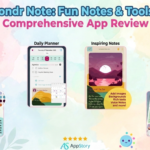
    Wondr Note app review graphic

    Direct, documented onboarding evidence is thin. Based on the app’s design and feature description:

    • Account creation / login: The app is local-first and the developer repeatedly states data stays on-device, implying no mandatory account to start. The developer states your data stays private on your device — they never collect or store your notes, email, name, etc. A Google account is only relevant if you opt into Google Drive backup.
    • Time to productivity: Multiple user reviews indicate a quick, low-friction start. One reviewer noted becoming a fan on day one. Another said that after starting the same day, it was by far their favorite notepad-type app despite trying many others, and that they were not paying for premium, praising the choices to customize font colors and backgrounds.

    Assessment: Onboarding appears low-friction (no forced signup), but there is no strong evidence of guided tutorials, and at least one user felt basic behaviors weren’t obvious (see §4). Onboarding quality: moderate-to-good, unverified.

    3. User Interface & User Experience

    This is the app’s strongest, most consistently praised dimension.

    • A 2023 independent reviewer said they enjoyed testing Wondr Note as it’s extremely colorful, fast, and functional.
    • Recent update notes emphasize UI polish: the developer highlights a sleek, modern UI, an upgraded planner and calendar, reminders, and sort/filter/multi-select tools for quicker organizing.
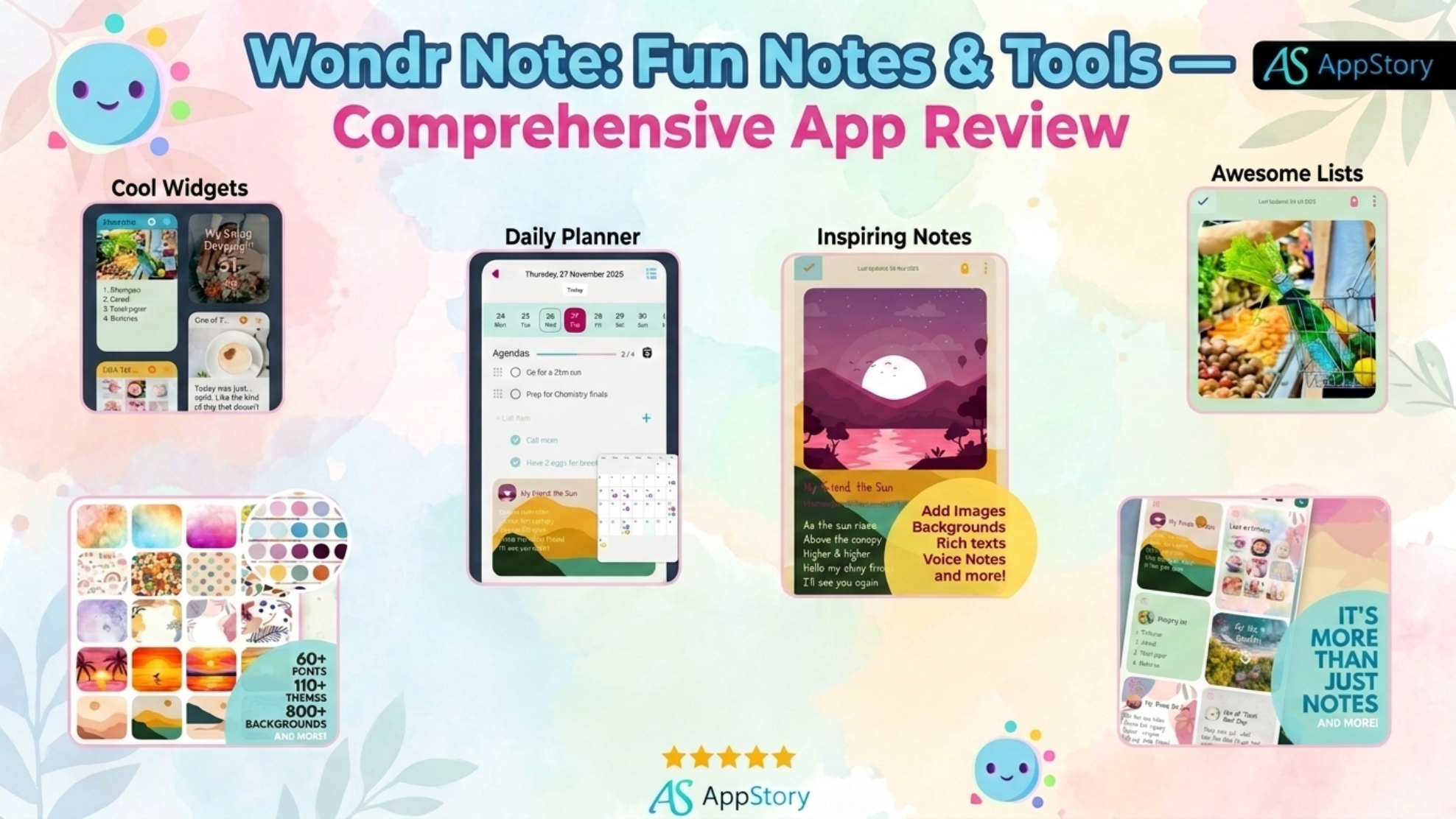
    • Deep customization is the headline feature: the app advertises 800+ beautiful backgrounds, 100+ cute themes, 70+ fonts, and the ability to create and save your own custom theme. (Note: earlier versions advertised far fewer — around 60+ themes, 400+ backgrounds and 70+ fonts — showing the library has grown over time.)

    UX friction points (user-reported):

    • One user found basic functions missing — being unable to switch a note between list/checklist/text while writing, calling the per-note restriction limiting.
    • The same user couldn’t find ways to turn off autosave, import notes from other apps, or change view settings beyond colors.
    • Another user’s only complaints were a short length limit per note and glitchy copy-and-paste behavior.

    Assessment: Visually excellent and easy to navigate for casual use; weaker on power-user flexibility (note-type switching, imports, view settings).

    4. Core Features & Performance

    FeatureWhat it doesNotes
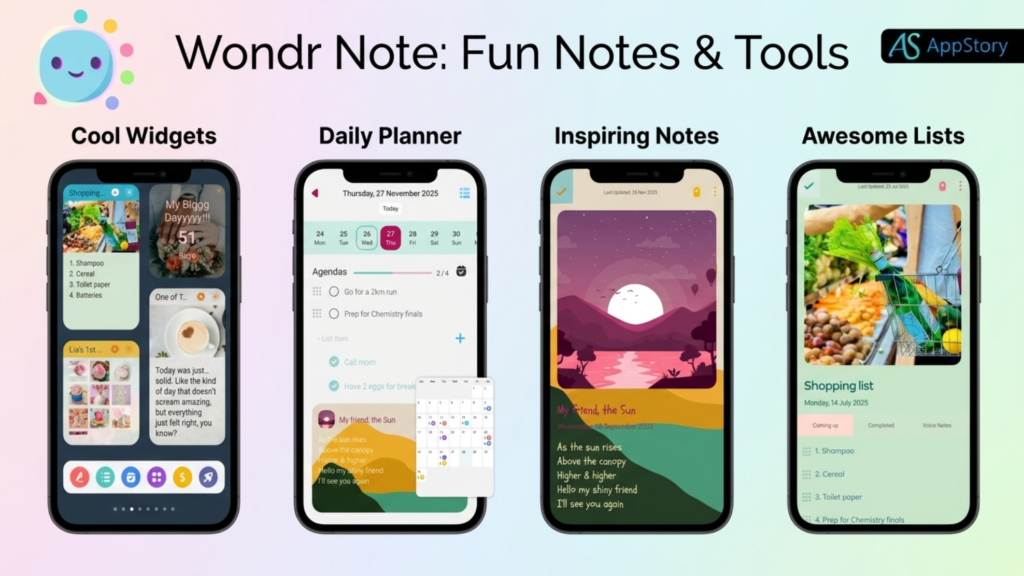
    Notes & to-do listsAdd images, backgrounds, or voice notes; switch between checklist, numbered or bulleted formats; rich text with bold, highlight, color and italics.Format is chosen per note, which some users dislike
    Daily planner / agendaCreate a daily agenda by picking from open tasks across all your task lists. Recently upgraded with calendar + remindersPositioned as a 2025–26 focus area
    Accounts (expense tracker)Tracks income and expenses with details and automatic totaling.Praised as well-implemented
    Mood boardsA mood board where you can add a collection of photos with captions and a title.Historically a premium feature
    CountdownsPick a date, set a title, choose a background and get a countdown timer.Historically a premium feature
    WidgetsCustomizable home-screen widgets for the above.A recent update specifically included a widget bug fix
    Search / organizeSort, filter, tag and search to find items quickly.
    SharingShare individual notes as HTML from within the app, but there’s no bulk export.See §6 limitations

    Performance: The 2023 tester found it “extremely colorful, fast, and functional.” Recent changelogs claim performance improvements, a widget bug fix, and smoother loading and faster transitions.

    Key feature limitations / common complaints:

    • No real-time collaboration or sync between devices. A user wanted a shared, synchronized shopping list across family members’ phones but found the app can’t do this — no collaborative editing, only sharing a text of the list with no syncing.
    • No note-type switching mid-note; no import (see §3).
    • No bulk export (see §6).

    5. Pricing & Transparency

    ⚠️ Contradictory evidence — pricing model appears to have changed over time:

    • One-time / lifetime model (current signals): A recent Google Play review states there is lifetime access for a really good price. An older AlternativeTo entry listed it as a freemium product with a one-time perpetual-license purchase costing up to about $3, plus a free version with limited functionality.
    • Subscription model (also documented): The app’s own Terms & Conditions describe recurring billing: monthly subscription fees are billed automatically until cancelled via the Google Play Store; you must cancel before renewal to avoid the next charge; and refunds are not granted for partial-month usage. The same terms describe an annual equivalent. Restore-after-device-change is supported: if you change your device, you may restore your purchase by visiting the “Premium” page in the app, and it will be automatically restored.
    • A dated third-party figure of “$10/mo for Pro” appears in the 2023 noteapps.ca review — it describes a generous free plan or $10/mo for a Pro plan — but this figure is old and inconsistent with the low one-time price other sources cite, so treat it skeptically.

    Free vs. premium split (historically): The free tier is genuinely usable — multiple reviewers explicitly use it without paying. One user noted the free version does notes, lists, daily agenda and the Account tracker very well, with mood boards and countdowns behind premium. Older data suggested around 20 free themes plus 20+ more premium themes.

    Transparency assessment: Mixed. The free tier is honest and generous, and refund/renewal rules are documented in the Terms. However, the coexistence of subscription language and lifetime/one-time messaging is confusing, and no source cleanly confirms today’s exact price and plan structure. Verify the live price in Google Play before purchasing. No credible reports of unexpected/hidden charges specific to this app were found.

    6. Offline Functionality

    This is a structural strength given the local-first design.

    • The app is local-first with backup and restore from Google Drive. Core note-taking, lists, accounts, countdowns and mood boards are stored on-device, so they work offline.
    • Internet is needed only for: Google Drive backup/restore.
    • Sync limitation: Because there is no cross-device cloud sync (§4), “offline” is really the default state — there’s no live syncing to fall out of. Data can only be restored from Google Drive via the app.

    Assessment: Excellent offline usability for a single-device workflow; poor for anyone needing multi-device continuity.

    7. Battery Consumption

    No specific, credible battery-drain data or user complaints were found for Wondr Note. As a local-first notes app without heavy background sync, battery impact is likely low, but this is an inference, not verified evidence. The app’s own reminders/widgets could contribute minor background activity. Insufficient evidence for a scored rating.

    8. Storage Requirements

    • Install size: A 2024 build (v12.8) had a download size of about 107.1 MB (released April 7, 2024 by Mighty Bear Vibes Pte. Ltd.). Current versions are likely similar or larger given the expanded theme/background library.
    • Growth driver: The 800+ backgrounds, 100+ themes and attached images/voice notes are the main storage consumers; note attachments (photos, mood boards) grow storage with use.
    • No specific user complaints about storage bloat were found.

    Assessment: Moderate footprint for the category (~100 MB+), largely due to bundled visual assets. Reduce usage by limiting image/voice attachments.

    9. Customer Support

    • Channel: Support appears to be primarily via the developer’s website/email. Historically, responsiveness was praised: one reviewer said the developers are kind and respond very quickly.
    • ⚠️ Reliability/availability concerns: A recent Play review reported the developer’s site was down: a user wanted to message the devs but the Mighty Bear website showed a “Critical Error,” and suggested the devs look into it.
    • Developer visibility: The 2023 independent reviewer flagged an absentee-developer pattern: they couldn’t find the people behind the app, noted the Twitter account was “a ghost town,” and that Facebook and the blog had no updates for 1.5 years.

    Assessment: Support quality reports are positive but sparse and dated, undercut by signs of low public engagement and at least one broken support-site report. Community support is essentially nonexistent (no active forum/subreddit found).

    10. Data Privacy & Security

    This is a genuine strength, though claims are largely self-reported.

    • Data collection: The developer states your data stays private on your device and that they never collect or store your notes, email, name, etc. An older listing added a nuance: you own all your data, it’s stored in internal storage inaccessible to other apps, no personal data like email/name/images is stored on their servers — but they do collect crash and usage data to improve the app.
    • On-device security: Notes are encrypted and stored on the device, with a PIN lock for extra security.
    • Backups: The developer does not back up data on their servers; they provide a service to back up to your chosen Google Drive account — and if you uninstall the app, your data is removed and cannot be recovered. This is an important data-loss risk to understand.
    • Independent take: The 2023 reviewer called the privacy policy “great, simple, and clear.”

    No historical privacy controversies were found for this specific app. (The billing/third-party-text complaints in search results belong to Wondr Health, a different company, and do not apply here.)

    Privacy risk assessment: LOW — local-first architecture with on-device encryption and minimal server collection is favorable. Caveats: claims are self-reported (not independently audited), crash/usage analytics are collected, and uninstalling wipes your data, so backups are essential.

    11. Bug History & Reliability

    • Update cadence: Recent version history shows frequent updates — Uptodown lists releases including v16.2/15.8 in August 2025, 16.4 (Aug), 16.5 (Oct), 16.6 (Nov 25), 16.8 (Dec 7, 2025) and 17.0 on Feb 16, 2026 — all requiring Android 8.1 or higher. This contradicts the older “abandoned/inactive developer” narrative from 2023 and suggests active development resumed.
    • Known bugs (documented): a widget bug (fixed in a recent update per changelog); a short per-note length limit and glitchy copy-and-paste; and a niche Samsung DeX cursor up/down issue.
    • Stability trend: Recent changelogs repeatedly cite more performance improvements, additional bug fixes, and smoother loading and faster transitions.

    Assessment: Improving reliability trend. Development is currently active (frequent 2025–26 releases), reversing the earlier dormancy. Bugs reported are minor/cosmetic rather than data-destroying.

    12. Community Sentiment

    ⚠️ Sentiment data is limited and skewed by name-collisions. Reliable Wondr Note-specific opinions come mainly from Google Play reviews and the single 2023 noteapps.ca review. Third-party aggregators like Uptodown show zero reviews (“There are no opinions about Wondr Note yet. Be the first!”), and there is no meaningful Reddit/Trustpilot presence for this app.

    Most common praises:

    • Beautiful, customizable design and it’s fun to use (multiple reviewers).
    • Genuinely useful free tier; all-in-one (notes + lists + planner + accounts + boards + countdowns). One reviewer loved that it’s not just a planner but journal, lists and picture boards in one, with backup, plus lifetime access for a good price.
    • Fast and functional; responsive developers (historically).

    Most common complaints:

    • No cross-device sync/collaboration.
    • Per-note format lock; no import; limited view settings.
    • Short note length limit; occasional copy-paste glitches.
    • Low developer public visibility / a reported broken support site.

    Overall sentiment: Positive but low-volume. Enthusiastic core users, but too little independent data for a robust score.

    13. Competitor Comparison

    The best-rated Wondr Note alternative is ColorNote (free), with other similar apps being Note Yourself, Memo, Inquisite and hello ivy. The 2023 reviewer also benchmarked it against Obsidian.

    DimensionWondr NoteColorNoteObsidianGoogle Keep
    Design/customization★★★★★ (800+ backgrounds, 100+ themes)★★☆ (basic)★★★ (theme-able, markdown)★★★
    Core notes/lists★★★★ (rich, per-note format lock)★★★★ (simple, fast)★★★★★ (markdown, linking)★★★★
    Cross-device sync✗ (no live sync)✓ (account sync)✓ (paid/Git sync)✓ (Google account)
    Collaboration✗LimitedCommunity plugins✓ (real-time)
    Offline★★★★★ (local-first)★★★★★★★★★ (local-first)★★★ (needs sync)
    Export/portability✗ (single-note HTML only, no bulk)Limited★★★★★ (plain markdown)★★★
    Privacy★★★★★ (on-device, encrypted, PIN)★★★★★★★★ (local files)★★ (Google cloud)
    PricingFree + cheap premium (model unclear)Free (ads)Free personal; paid syncFree
    Extra toolsAccounts, mood boards, countdowns, planner—Plugins/graphReminders

    Takeaway: Wondr Note wins clearly on aesthetics/customization and all-in-one variety, and matches leaders on privacy/offline. It loses on sync, collaboration, and data portability, where ColorNote, Google Keep and especially Obsidian are stronger.

    14. Risk Assessment

    Major risks / deal-breakers:

    1. No cross-device sync or collaboration — a hard blocker for anyone using multiple devices or sharing lists live.
    2. Weak data portability — no bulk export to take your notes elsewhere; only single-note HTML sharing. Migrating away is painful.
    3. Data-loss risk on uninstall — if you uninstall the app, your data is removed and cannot be recovered unless you’ve backed up to Google Drive; and that backup is stored in a hidden app area on Drive that the tester couldn’t locate or extract without the app.
    4. Pricing ambiguity — subscription vs. lifetime messaging conflicts; confirm before buying.
    5. Developer/support uncertainty — a reported broken support site and historically low public visibility, though update frequency has recently improved.

    Avoid the app if you: need real-time sharing, multi-device sync, plain-text/markdown portability, or long/complex documents (note-length limits).
    Wondr Note interface showing screens for widgets, daily planner, inspiring notes, and awesome lists

    15. Final Verdict

    Overall score: 7 / 10

    Wondr Note is a delightful, privacy-friendly, single-device notes app that stands out for its extensive customization and genuinely fun, all-in-one design (notes, lists, planner, expense accounts, mood boards, countdowns, widgets). It’s backed by an active recent update cadence and a usable free tier. It is held back by no sync/collaboration, weak export, some flexibility gaps, and pricing/support ambiguity. Notably, the earlier “8/10 if the developer were more visible/active” reservation from the 2023 review has been partially addressed by frequent 2025–26 updates.

    • Best for: Students, journalers, hobbyists, list-makers, and anyone wanting a beautiful, offline-first, privacy-respecting notes app on a single Android device. It’s well-suited to a student, event planner, garage-sale goer, a parent with kids in sports/crafts, or a small business owner — basically anyone tracking their life, memories or hobbies.
    • Not recommended for: Multi-device users, teams needing collaboration, power users needing markdown/import/bulk export, or anyone writing long documents.
    • Key strengths: Best-in-class customization; strong privacy (on-device, encrypted, PIN); excellent offline use; varied all-in-one toolset; active updates.
    • Key weaknesses: No cross-device sync/collaboration; no bulk export; per-note format lock and note-length limits; unclear/confusing pricing; thin/uncertain support.
    • Value for money: High if it’s a cheap one-time/lifetime purchase; question it if billed as a recurring subscription — verify the live price first.
    • Long-term usability: Cautiously positive. Recent frequent updates are encouraging, but the lack of data portability is the biggest long-term concern — you can get into Wondr Note easily but not out easily.

    Recommendation: Worth installing and trying via the free tier, especially if you value aesthetics and on-device privacy on a single phone. Set up Google Drive backup immediately, and confirm the current pricing model in Google Play before paying. If cross-device sync, collaboration, or note portability matter to you, choose Google Keep, ColorNote, or Obsidian instead.

    Disclaimer: This review is based on publicly available information, user reports, and documented evidence gathered from multiple sources as of mid-2025. Individual experiences may vary. Prices, features, and policies are subject to change. This review is independent and not sponsored by Aceable or any competitor.

    Sources consulted: Apple App Store reviews, Google Play Store reviews, Reddit (multiple subreddits), Better Business Bureau, Trustpilot, Common Sense Media, Aceable’s official website and privacy policy, state DMV/DPS websites, technology review publications, and social media platforms.

    ⭐
    Community Rating 4.8/5
    1 total contest vote
  • Why AI Influencers Are the Future of the Industry and How to Get Involved

    Why AI Influencers Are the Future of the Industry and How to Get Involved

    AI influencers are no longer an abstract idea or a tech experiment. They are already shaping how people connect with online personalities, consume content, and spend time in digital spaces. I’ve watched this shift happen quietly at first, then all at once. What started as simple virtual avatars has turned into something far more personal, interactive, and scalable.

    We are seeing creators, startups, and platforms rethink how influence works. Instead of relying only on real people with limited time and energy, many are turning to AI-driven personas that can grow, adapt, and stay active around the clock. They don’t replace humans, but they change the rules of participation.

    This article explains why AI influencers are becoming a long-term part of the industry and how anyone interested can step into this space thoughtfully and realistically.

    Why AI Influencers Are Gaining Long-Term Attention Across Online Spaces

    AI influencers exist because behavior online has changed. People no longer just watch content; they interact with it. They expect responses, personalization, and continuity. Human creators, despite their talent, can only do so much.

    AI influencers solve several problems at once.

    • They can interact continuously without burnout
    • They can maintain a consistent personality and tone
    • They can adapt conversations based on user input
    • They can exist across multiple platforms at the same time

    In comparison to traditional creators, AI influencers don’t need rest, schedules, or constant reinvention. However, they still require thoughtful design and direction. Someone decides how they speak, what they stand for, and how they evolve.

    Clearly, the appeal isn’t just automation. It’s control, consistency, and the ability to scale presence without scaling personal exhaustion.

    How People Are Forming Different Kinds of Connections With AI Influencers

    Not every connection online is about fame or promotion. Many people simply want interaction that feels responsive and personal. AI influencers fit into that space naturally.

    They are often designed to:

    • Hold conversations instead of broadcasting messages
    • Remember preferences and past interactions
    • Respond in ways that feel emotionally aware
    • Stay within a defined personality framework

    Similarly to how audiences once followed blogs or streamers for companionship, AI influencers now offer a different kind of presence. They don’t replace relationships, but they do fill quiet gaps in digital life.

    In particular, some creators design AI personas that focus on companionship and emotional continuity rather than performance alone. One example often discussed is the idea of an AI dream girlfriend, which appears in conversations around personalization and emotional simulation rather than explicit content. It reflects how flexible these systems have become.

    Read More : Top AI Tools to Accelerate Your Mobile Development Workflow

    Where AI Influencers Fit Naturally Into Content Creation Models

    AI influencers are not limited to one category or tone. They appear wherever identity, consistency, and interaction matter.

    We see them used for:

    • Story-driven social accounts
    • Character-based subscription pages
    • Interactive chat experiences
    • Visual-first platforms focused on aesthetics

    Not only do they post content, but they also respond, adapt, and maintain narrative flow over time. That’s something human creators often struggle to manage at scale.

    Eventually, this leads to hybrid ecosystems where human creators guide the direction while AI influencers handle continuity. As a result, teams stay small while output remains steady.

    Why Some Creators Quietly Shift Toward AI-Based Personas

    There are practical reasons creators move toward AI influencers, even if they don’t talk about it publicly.

    • Privacy becomes easier to protect
    • Creative control stays internal
    • Output doesn’t depend on mood or availability
    • Long-term identity stays consistent

    Despite this, AI influencers still require intention. Without clear boundaries, tone, and purpose, they quickly feel hollow. The most effective ones feel authored, not random.

    Of course, this applies across many niches. Some creators focus on storytelling. Others on visual aesthetics. And yes, a portion of the ecosystem includes adult-oriented creators, where AI allows experimentation without personal exposure.

    How Adult-Centered Creators Use AI Influencers Without Dominating the Space

    Adult content has always adopted new formats early. However, AI influencers in this area don’t always function how people assume.

    Rather than focusing purely on visuals, many rely on conversation, pacing, and emotional simulation. A NSFW AI influencer, when mentioned in creator communities, is often discussed in terms of boundaries, consent frameworks, and controlled interaction rather than shock value.

    Likewise, tools offered by platforms like Sugarlab AI are referenced in technical discussions about character logic, customization, and interaction depth, not only adult output. These platforms simply provide infrastructure; how creators use it varies widely.

    In the same way, some onlyfans models quietly experiment with AI-driven personas as extensions of their brand, not replacements. They use AI to handle interaction layers while keeping creative direction human-led.

    Also Read https://www.appstory.org/cost-for-app-like/how-much-does-mobile-app-development-cost-to-develop-an-event-booking-app-2/

    What It Actually Takes to Get Involved With AI Influencers

    Getting involved doesn’t require advanced coding skills anymore. What it does require is clarity.

    Before starting, people usually decide:

    • What role the AI influencer will play
    • What personality traits stay fixed
    • What topics or behaviors are off-limits
    • How interaction should feel over time

    Initially, many start small. A single character. A limited interaction set. Gradually, they expand once they see how people respond.

    Importantly, success here comes from restraint. Overloading features often breaks immersion. Simplicity tends to last longer.

    Mistakes People Make When Creating Their First AI Influencer

    Admittedly, enthusiasm causes missteps. I’ve seen the same issues repeated.

    • Giving the AI too many personalities at once
    • Changing tone frequently
    • Ignoring user feedback patterns
    • Treating it like a content bot instead of a persona

    AI influencers work best when they feel authored and intentional. They don’t need to do everything. They need to do one thing well.

    Where This Space Is Headed Over the Next Few Years

    AI influencers will not disappear. They will normalize. That’s usually how lasting changes work.

    Eventually, we won’t label them separately. They will simply exist alongside human creators, each serving different purposes. Some people will prefer one. Others will engage with both.

    Despite early skepticism, audiences tend to accept whatever feels consistent, respectful, and useful to them. AI influencers meet those criteria when built thoughtfully.

    Also Read https://www.appstory.org/category/cost-for-app-like/

    Final Thoughts

    AI influencers represent a shift in how presence, interaction, and identity work online. They aren’t about replacing people. They are about rethinking scale, privacy, and continuity.

    We are still early in this transition. Those who approach it carefully, creatively, and responsibly will shape what comes next. This content is shared purely for informational and private purposes, not for platforms, algorithms, or external validation.

    What matters most is intention. When AI influencers are built with clarity and respect for their audience, they don’t feel artificial. They feel purposeful.

  • Benefits of Investing in Taxi App Development Solutions for Modern Businesses

    Benefits of Investing in Taxi App Development Solutions for Modern Businesses

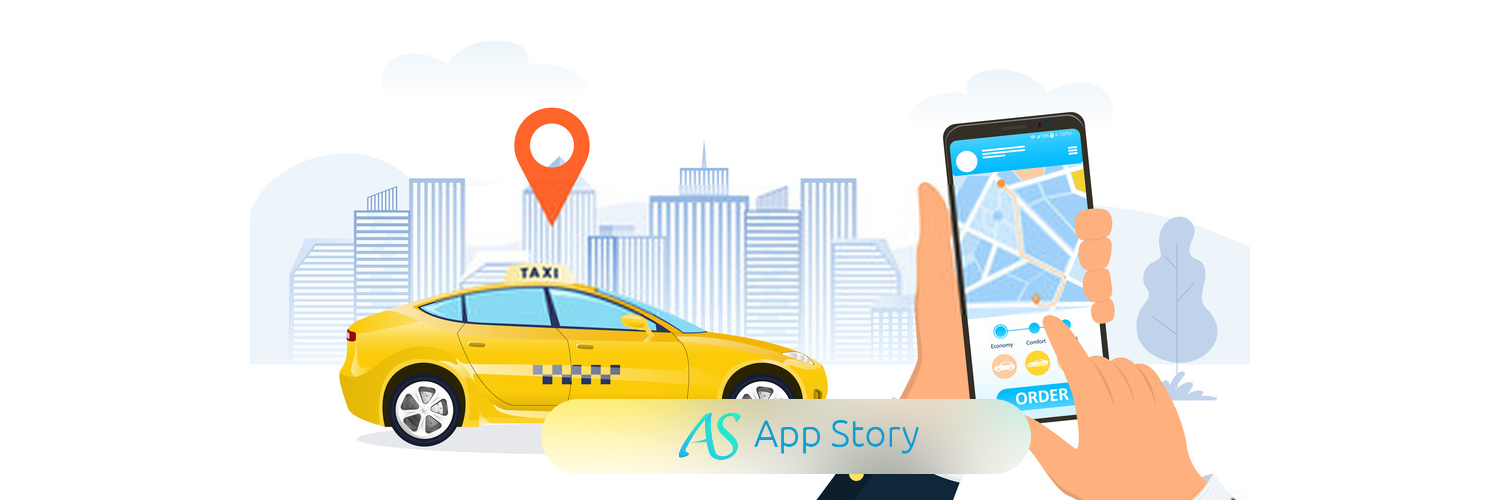
    The on-demand economy has transformed how people commute, making convenience, speed, and reliability essential for users. Taxi booking applications have become a core part of urban transportation by offering seamless ride-booking experiences through mobile devices. For businesses aiming to enter or expand in this space, working with a Taxi App Development Company can be a strategic step toward long-term success.

    Investing in taxi app development solutions is more than just launching a digital product. It enables businesses to build scalable models, improve operational efficiency, and meet evolving customer expectations. Below are the key benefits that make taxi app development a valuable investment.

    Enhanced Customer Convenience and Experience

    One of the primary reasons behind the popularity of taxi apps is the level of convenience they offer. Users can book a ride within seconds without waiting on the roadside or calling a dispatcher.

    Modern taxi apps provide features such as real-time tracking, fare estimation, multiple payment options, and ride scheduling. These functionalities simplify the entire process and enhance the user experience. As a result, businesses can achieve higher customer satisfaction and retention rates.

    Multiple Revenue Generation Opportunities

    Taxi app development solutions open the door to multiple revenue streams. Unlike traditional taxi services that rely on fixed pricing, digital platforms provide flexible earning models.

    Businesses can generate revenue through driver commissions, surge pricing during peak hours, cancellation charges, subscription plans, and in-app advertisements. This diversified approach ensures consistent income and increases profitability over time.

    Data-Driven Decision Making

    Taxi apps provide access to valuable real-time data that helps businesses make informed decisions. By analyzing user behavior and operational metrics, companies can improve their services and strategies.

    Key insights include peak booking times, frequently traveled routes, customer preferences, and driver performance. Leveraging this data allows businesses to optimize pricing, enhance service quality, and identify growth opportunities.

    Scalability and Business Expansion

    Scalability is one of the biggest advantages of taxi app development solutions. A well-built application can support business growth without requiring major changes to the core system.

    Companies can expand to new locations, onboard more drivers, and introduce additional services such as premium rides or carpooling. This flexibility ensures that the app remains relevant as the business evolves.

    Efficient Fleet and Driver Management

    Managing a large fleet manually can be complex and inefficient. Taxi apps simplify this process by offering advanced fleet management features.

    Businesses can monitor vehicle locations in real time, track driver activity, and optimize routes using GPS technology. Automated dispatch systems further improve efficiency by assigning rides to the nearest available driver. These features reduce operational costs and enhance overall productivity.

    Improved Safety and Security

    Safety plays a crucial role in the success of any taxi service. app development solutions include built-in safety features that protect both passengers and drivers.

    Common features include driver verification, emergency SOS buttons, ride tracking, and the ability to share trip details with trusted contacts. These measures build trust and encourage more users to rely on the platform.

    Competitive Advantage in the Market

    The transportation industry is highly competitive, with many players offering similar services. A well-designed taxi app can help businesses stand out by delivering a superior user experience.

    Digital platforms offer faster booking, transparent pricing, and better accessibility compared to traditional services. This gives businesses a strong competitive advantage and helps attract a larger customer base.

    Integration with Advanced Technologies

    Taxi app development solutions can integrate with modern technologies that improve performance and user experience. Artificial intelligence can optimize routes and reduce travel time, while machine learning can predict demand patterns.

    These technologies help create smarter and more efficient taxi applications.

    Support for Sustainable Transportation

    Environmental concerns are driving the adoption of sustainable transportation solutions. Taxi apps can support eco-friendly initiatives by integrating electric vehicles and promoting ride-sharing options.

    Optimized route planning also helps reduce fuel consumption and emissions. This not only benefits the environment but also enhances the brand image among environmentally conscious users.

    Improved Customer Retention and Engagement

    Taxi apps provide various tools to engage users and encourage repeat bookings. Features such as loyalty programs, discounts, referral bonuses, and personalized notifications help maintain customer interest.

    By offering consistent value and a smooth user experience, businesses can increase customer lifetime value and build long-term relationships.

    Continuous Innovation and Market Adaptability

    Another important benefit of investing in taxi app development solutions is the ability to adapt quickly to changing market trends and customer expectations. The transportation industry is constantly evolving, with new technologies, regulations, and user demands shaping the landscape. A well-developed taxi app allows businesses to introduce updates, add new features, and integrate emerging technologies without disrupting existing operations. Whether it is incorporating digital wallets, enabling contactless rides, or launching subscription-based services, this flexibility ensures that businesses remain competitive and relevant in a fast-changing market.

    Conclusion

    Investing in taxi app development solutions offers numerous advantages for businesses looking to succeed in the on-demand economy. From improving customer convenience and generating multiple revenue streams to enabling scalability and integrating advanced technologies, the benefits are substantial.

    As the demand for digital transportation solutions continues to grow, businesses that embrace innovation will stay ahead of the competition. Collaborating with a reliable Taxi App Development Company ensures the development of a robust and future-ready application that meets modern user expectations and supports long-term growth.

  • Optimizing Continuous Integration and Deployment Insights from Azure DevOps Consulting

    Optimizing Continuous Integration and Deployment Insights from Azure DevOps Consulting

    Businesses run on two factors, first is the human effort and the second is technical support. To run the mechanism well you would need advanced software development. If you seek streamlined processes, then Azure DevOps can be your trusted partner. In modern software development, Continuous Integration (CI) and Continuous Deployment lie in the core stone. It is an essential practice that automates the process of integration of code changes into a shared repository and deploying them to the production environment. A recent survey by Stack Overflow says that 70% of developers use some form of CI/CD in their projects. We are excited to enter into the realm of Azure DevOps Consulting with you.

    In this blog, we will share some valuable insights that we have gathered from hands-on experience in optimizing CI/DD pipelines with the Azure ecosystem. Whether you are already using Azure Managed Services or planning to, we have designed this article to provide you with actionable tips and strategies that will enhance your development workflows. 

    Continuous Integration(CI)

    It is an important software development practice. In this process, the developers often add their code changes to a shared repository. An automated build process verifies all the integration. This allows teams to detect and address integration errors early in the development cycle. This integration is the cornerstone of modern software development workflows. It provides collaboration, reduces risk, and speeds up the delivery of high-quality software.

    Automated Testing Strategies

    This testing strategy involves creating and executing test scripts and cases using specialized testing framework tools. This is done to verify software applications’ functionality, performance, and reliability. It involves using software tools to execute pre-scripted tests on software applications. These tests can range from unit tests confirming individual components or functions to integration tests. This can verify interactions between different mules or systems, and end-to-end tests. The aim is to speed up the testing process, increase test coverage, and detect defects. This way it reduces the time and effort required for manual testing and debugging. 

    How to Use Automated Testing Strategies? 

    • Choose the right automated tools and frameworks that align with the technology stack and requirements of your project.
    • Develop test scripts and cases that cover the critical functionality and workflows of your applications.
    • Integrate automated testing into your pipelines to ensure that tests are performed automatically whenever code changes are made.
    • Regularly monitor the performance and reliability of your automated tests, and update them as per the requirements. 

    Parallelization and Scalability

    It is the process of breaking down tasks into smaller, independent units you can execute simultaneously. In the context of CI pipelines, parallelization enables teams to distribute build, and trust workloads across multiple machines or agents. On the other hand, scalability refers to the ability of the CI infrastructure to handle increased workloads and resource demands as the size and complexity of the software projects grow.

    How to Use Parallelization and Scalability?

    • To use parallelization and scalability in pipelines involves configuring build and test processes to use distributed resources well.
    • Azure DevOps offers scalable build agents that can be provisioned to meet fluctuating workload demands.
    • Your team can use their CI pipelines to parallelize tasks such as compiling code, running tests, and generating artefacts across multiple agents.

    Code Quality Metrics

    They are the quantitative measures that check various aspects of software code. This is important to assess its maintainability, reliability, and quality. Get insights into the health of the codebase, enabling your team to identify areas for improvement. This reduces technical risk and upholds coding standards. 

    How To Use Code Quality Metrics?

    • The first step is to identify and address areas of the codebase that require refactoring or optimization to reduce complexity and improve maintainability. 
    • Then you have to give the developers actionable insights and feedback on code quality. This will enable them to make informed decisions and write cleaner, more maintainable code. 
    • You have to make sure that code changes meet predefined quality standards and are less likely to introduce defects or regressions into the software. 
    • Establish a common understanding of code quality expectations and foster collaboration among the development team. 

    Continuous Deployment

    It is a deployment process where validated code changes are automatically deployed to the production environment without manual help. This process ensures that software updates are delivered to end-to-end users quickly and continuously. Businesses can stay competitive in the market this way.

    IaC

    The practice of managing and provisioning infrastructure resources through codes and without manual process is known as IAC. It involves writing declarative templates using tools like ARM Templates or Terraform to define and configure infrastructure components such as servers, networks, and databases.

    How to implement it?

    • Write reusable templates that describe the desired state of infrastructure resources.
    • It is best to use version control systems like Git. It can manage and track changes to infrastructure code.
    • Many automation tools like Azure DevOps will help you to manage the provisioning and deployment of infrastructure. 

    Deployment Gates And Approval Workflow

    Deployment Gates and Approval Workflow are mechanisms used in the software development process to ensure that code changes are deployed safely and reliably to production environments. It is to ensure that the code changes are deployed to the production environment well. 

    Deployment Gates are the automated checks or conditions. It is important to satisfy them before a deployment can proceed to the next stage. These gates include criteria such as automated test passing, security scans, or performance benchmarks. This gate helps confirm the quality of code and readiness of code changes before they are deployed to production. This reduces the risk of bugs and vulnerabilities. 

    Approval Workflows are the manual sign-offs from stakeholders of designated individuals before changes are promoted to production. These workflows need reviewers to approve the proposed changes based on predefined criteria or business rules. 

    How to Implement Them? 

    • Define your deployment gates first based on criteria such as automated tests, security scans, or performance metrics. 
    • Get approval workflows to require sign-offs from designated individuals or teams before promoting changes to production.
    • Add deployment gates and approval workflows into CI/CD pipelines using Azure DevOps or similar tools. 

    Canary Deployment and Feature Flags

    Canary Deployment is a technique where you roll our software changes to a small subset of users or services before releasing them to everyone. This can help detect issues early and reduce the risk of widespread problems.

    Feature Flags are like switches for features in software. They allow developers to control the visibility of new features without deploying new code. Developers can turn a feature flag on or off and enable or disable features for different users or environments.

    How To Implement Them?

    • You have to roll out gradually to a small percentage of users or servers. Also, monitor key metrics to assess performance and gather feedback.
    • Use feature flags in code. It is to control the visibility of new features. This helps developers to enable or disable features without deploying new codes.
    • Monitoring and analytics can be used to track feature usage and gather insights into user behavior preferences. 

    Wrap-Up 

    Azure DevOps Consulting aims to make the deployment and integration process easier for you. Businesses get a wide range of features within the Azure DevOps integration that can simplify the streamlined process. This way your business can achieve seamless efficiency and productivity. 

  • Mobile App Promotion: 6 App Marketing Strategies You Must Know

    Mobile App Promotion: 6 App Marketing Strategies You Must Know

    Did you know that today there are close to 9 million smartphone applications in existence? What this means is that, regardless of which specific app store or niche you choose, you face a mighty uphill battle to stand out. To differentiate your app from the competition and cut through the noise, you need to use the right app marketing strategies. Otherwise, your app won’t get the traction it needs to take off at launch. On that note, here are some of the best strategies we use at our mobile app marketing agency to increase downloads, enhance user retention, and boost app revenue. 

    1. Email marketing

    It may be one of the oldest forms of digital marketing but it’s still one of the most effective, no matter if you want to gain attention for a new product or a mobile application. As a matter of fact, you can recoup 40 to 50 times for each $1 that you put into email marketing. 

    That said, here are a few of my top recommendations for increasing app downloads and usage via email marketing. 

    • Build your mobile app a great landing page then build your email list from them. You want to avoid buying email lists
    • Personalize your emails based on segments of your target audience
    • Highlight your apps top features and how users will benefit from it

    It’s also very effective to include user testimonials of your app in your emails to substantiate your app’s performance.

    1. Paid user acquisition 

    One way to hack app growth is through paid user acquisition, where you use paid ads or channels to attract new users. With app-install ads having grown by 40% in 2022, this proves just how effective paid UA has become as an app promotion strategy. 

    To get the best bang for your buck, here’s how I recommend that you go about paid UA based on the experience of our mobile app marketing agency: 

    • Craft highly specific user personas that are likely to have high intent 
    • Keep tabs on marketing trends and market your app around important and relevant events 
    • Use multiple channels, then measure and optimize KPIs like downloads, sign-ups, in-app purchases, and more
    • The latter pointer will help you to identify your best UA channel and eliminate the rest to maximize ROI. 
    1. Retention campaigns

    Getting users to download an app is one thing. Keeping them active is where the rubber hits the road. Just so you know, close to 6 in 10 app users become inactive within the first month. And on iOS, the retention rate is just 7% after 30 days.

    If you are to be successful in getting users to download and use your app for the long term, then retention campaigns are crucial.  To get this right, you want to:

    • Ensure an interactive onboarding process with simple sign-ups and engaging tutorials
    • Personalize app user experience for each user
    • Use bespoke push notifications 
    • Identify points of churn so that you can address common issues

    Overall, retention campaigns will help to boost your ROAS and user’s LTV. 

    1. Influencer marketing 

    I find that influencer marketing offers a shortcut to success because you’ll be tapping into an already established audience that has already built trust. Therefore, you don’t need to build your market from scratch.

    At our mobile app marketing agency, we use influencers in the following ways:  

    • Pre-launch promotions to get more people to sign up for your app
    • Introducing a mobile game app, for instance, by demonstrating gameplay
    • Post-launch promotions such as promoting feature additions

    On average, 60% of brands rely on influencers in their app marketing strategy, with many of them going on to attain ROI that’s 11 times as much as that of banner ads. When seeking out influencers, it’s important to prioritize those who have a target audience with a relevant user persona to your app’s niche.

    1. App store optimization 

    Are you familiar with how SEO generally works for websites? For instance, using the right keywords to make your content visible among search engine result pages is a popular aspect of SEO. 

    Well, app store optimization works similarly and it’s a great option for organically increasing your ranking and visibility on mobile app stores. 

    Here are some top ASO tips that we use at our mobile app marketing agency that you could borrow to your advantage:

    • Use a descriptive title that includes a popular keyword for your niche
    • For keyword research, use tools like MobileDev HQ to find relevant keywords. Generally, you want to go for keywords that are not overused by apps but still generate a good amount of traffic
    • Use the problem-solution approach for your app description

    Finally, you want to leverage high-quality imagery- preview videos with text overlays and screenshots- which is vital because the average person makes up their mind about your app in just 7 seconds.

    1. Social media and website marketing 

    I also recommend that you create a simple website, or at the very least, a landing page for your website. This will help you to tap into SEO strategies to make your app more discoverable and visibile. To succeed in this regard, keyword research is everything.

    Additionally, social media marketing is also a great way to attract users for your app with an average ROI of 250%, and here’s how you can do it: 

    • Leverage paid ads
    • Factor in SEO when optimizing your social media profiles
    • Use discounts and offers to generate buzz for your app
    • Incentivize app sharing and post engagement actions at large
    • Always go for the most popular platforms, e.g. Facebook, YouTube, Instagram, and so on

    Alternatively, you can also choose to work with an experienced mobile app marketing agency if you’re trying to juggle other duties in your workflow such as app development.

    App success depends on marketing

    When it comes to mobile app success, sure quality and providing a great user experience is beyond important. But none of that matters if you don’t promote your app correctly. You may do everything right in terms of development, but if you mess up marketing, the project is likely to fail. To put it simply, marketing is everything! Otherwise, your app may not generate enough interest and your ROI will inevitably be quite low. But if you put these six marketing strategies to work, you’ll give your app every chance to be a hit with your target audience and a financial success.

  • 7 City Parking Apps to Save You Time, Money and Gas

    7 City Parking Apps to Save You Time, Money and Gas

    Yellow curb, red curb, white curb, blue curb — figuring out where to park, especially in a big city, can make you feel like you’re in a zany Dr. Seuss story. And when you do snag a sweet street spot, it can feel like a mini moment of glory.

    In cities, parking signs contradict each other. There’s 7 a.m. street cleaning and odd hours when you cannot park your car (only until 2 a.m. in some places).

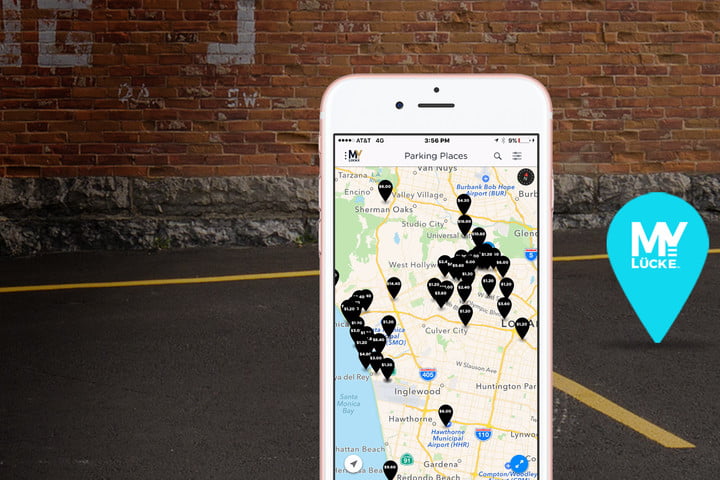
    If you live in a crowded metropolis, then finding a parking spot is likely a task you’d like to see made easier. Here are seven helpful parking apps to help you find a safe place to park. Sure, it’s not like having your own driver, but it’s the next best thing when you’re trying to find a spot in a traffic-ridden city.

    VoicePark

     (San Francisco): Finding The Sweet Spot is a book by David LaBua that teaches readers how to be savvy at finding parking in San Francisco. Now, those ideas are incorporated into an iOS app called VoicePark. “VoicePark guides you by voice, turn-by-turn, to the nearest available parking spot using real-time information refreshed every eight seconds,” according to the website. VoicePark uses the city-owned SFpark (which also has its own app for iOS and Android) technology to find open spots based on location and price in eight areas of the city.

    One of the most interesting features of the website is that it keeps a constant tally of San Francisco parking revenue — the city is already at more than $18 million in revenue for 2012. VoicePark is available only in San Francisco, but the company says it will roll out to 50 other cities this year.

    Can I Park Here? (NYC): No more asking strangers where to park — or adding more cash to New York City’s $600 million yearly revenue from parking tickets. Snap a picture of a questionable parking sign, and this $1.99 app will say whether you’re safe to park there. Clicking “Park It!” will set an alarm that alerts you when there are 15 minutes left on the meter, so you can get back to your vehicle with minutes to spare. Have a habit of forgetting where you parked? The “Park It!” button also puts a pin on the map, so you can easily navigate back to your car.

    PrimoSpot (NYC, Boston and Seattle): Using Google Maps and a database of parking signs, PrimoSpot helps city dwellers in New York, Boston and Seattle find parking. This iOS or Android app lets you look up parking rules in your area and find out where there are great parking spots. The app doesn’t indicate which spots are available, but the map feature could be a neat way to figure out where you might find good parking. In addition to street parking, PrimoSpot gives users details about nearby garages, including address, phone number, hours and photos.

    Chicago Parking: This Chicago-specific parking app includes meter rates for various areas of the city and can help users map the closest fare box. It also includes information for 300 Chicago parking garages, with hours, rates and directions.

    Apps for Everywhere

    Parking Mate: The Parking Mate app for iOS tells you where the closest and safest places to park are located — and keeps a log of places you’ve parked. Plus, like Can I Park Here?, the app keeps track of how much time you have left in your spot and notifies you when you’re close to expiration. Users can add “rules” (i.e. street cleaning on Mondays) to the app to help themselves and others stay abreast of the parking regulations in various neighborhoods.

    iSpotSwap: This app tells you when others are vacating their spots, letting you swoop in to take it. Members can “tag” their spots and include the time they expect to leave, which helps drivers find an open or soon-to-be-open spot. This app also includes a “meter minder” to keep track of how much time you have left on your meter while you’re away from your vehicle.

    Parker: Parker is another free iOS app that tells you where the closest spots are in real-time. GPS navigation guides you to the open space or a local garage. Garages can also notify Parker of available spaces, enabling users to make advanced reservations.

    Conclusion

    This family of apps is helping drivers save time, gas, and money (no more parking tickets!), all of which make city living just a little more convenient. If you see an app you like but it’s not in your city, don’t fret — some of these apps are expanding to new cities soon.

    Do you currently use any of the parking apps listed in this post? What do you think about them? Do you use any parking apps not mentioned here? Which ones? Tell us about them in the comments.

  • Best Music Player App for Android

    Best Music Player App for Android

    Music is something which millions of people love to hear while working, waiting for someone, in free time, on occasions, festivals and everywhere. Nowadays most of the people are facing theproblem by downloading music player apps which does not work well in streaming and some collections of songs are not playable through these apps. If you are one of themwho is facing problem in choosing the perfect app then this post will help you for sure. Here we are going tell you about some best music players for your Android device. This apps will enhance your music listening experience just like GB WhatsApp do for normal WhatsApp users.

    If you are a music lover and want to listen to your favorite songs by downloading the best Music Player app for your Android device but facing problem in choosing the best apps, then here we have picked one of the best apps which are really amazing. Below we have listed the apps for you download and give it a try.

    Top 6 Best Music Player App for Android

    Below we have listed all the top best music player apps for you. These apps are really going to help you to listen to music of your favorite artists, albums etc. Let’s discuss the Music player apps in details below.

    Here are the lists of the best Music Player app for Android:

    Shuttle+ Music Player

    music player
    It is one of the popular and best Material Design Music player apps where you will get lots of option to play songs of your choice. Shuttle+ Music Player includes gapless playback, six-band EQ, and also support for embedded lyrics, tons of themes and much more. Use this music player app and listen to your favorite artist’s songs.

    Pulsar Music Player

    pulsarPulsar Music Player app is completely free to use and its features are really amazing where you can tag editing, gapless playback, Last.fm scrobbling and with smart playlists. It is a Material Design Music player App which supports Chromecast and it works amazing. If you are looking for lightweight, minimal app then Pulsar Music player will be best for you.

    Black Player

    This Music Player app is one of the characterized Music players where you can listen to music in a very black playersimple way. It has a tab structure which will help you to customize tabs and can use it the way you want not only that it also has a widget, scrobbling, an equalizer, an ID3 tag editor, themes and also supports music files. Black Player is an app where you can use thefree version as well as paid version, in thefree version you will not get enough features like you get in paid version so it’s up to your choice you can use both. Give it a try by using it.

    JetAudio HD

    jetAudio HD music player is a popular and favorite app of Android users. This app is simple and easy to use jetaudiowhere you can easily listen to songs. It has features where you can enhance Audio by plugins to twist your Music experiences. jetAudio Music player has features as, simple effects like bass boost, tag editor, equalizer, widgets, and MIDI playback. You can use free and paid version virtually but in thefreeversion, you cannot remove advertisement and add themes but in thepaidversion, you can use.

  • Most Important Design Principles for iWatch Apps

    Most Important Design Principles for iWatch Apps

    One needs to focus not only on the programming aspects to add functionality to the Apple Watch but also focus on the structural aspects such as the touch functions and visibility criterion. The design has to follow the Apple Watch Human User Interface Guide which is the basis for all prototypes and concepts involved with the watch.

    Structure of the iWatch

    The iWatch has a touch-sensitive screen with a pressure sensitive touch included. This helps to distinguish between touch and hold. The digital crown on the side of the watch helps in the scrolling, zoom, and pressing a button. The iWatch is a stripped down version of the iPad.

    Design criterion for apps on the iWatch

    The first thing is to make the icons for the apps in a way it reflects the function. This helps the user find the apps without remaining confused about what each icon does.

    The use of circular buttons remains preferred for the apps. This is because the finger contact will be better if you use circular buttons rather than square buttons. If the buttons are square shaped, the distance and the dragging movement of the user will be towards the next button and so the contact will not be effective.

    Use of good typography remains advised. Why is this? If one uses fonts that are not recognizable with ease, then there is the chance that the functionality remains lost. By using clear and concise fonts, the user will be able to manipulate the functions of the iWatch in a good way.

    Plus, the color usage should be aesthetically pleasing. At the same time, the condensed letter spaces must occupy the least amount of horizontal space. And, the developer must try to limit the choice of the font to one single type since the use of too many fonts will make the space cluttered.

    Improvements in predictive intelligence

    Predictive intelligence, based on parameters like behavioral awareness and proximity sensitiveness, is useful for the user. They get the next screen without having to press or swipe too much. One case in point is the Foursquare app that remembers locations and previous landmarks to give you unobtrusive notifications when it finds related matter.

    Another is the anticipative response in the iMessage apps where you get more than one button with the appropriate responses in answer to standard questions. Glances are optional in the Apple Watch. The user activates this by tilting his wrist to look at the watch. Many options occur when he taps on the glance icon, also you should call iWatch apps Development Company.

    The behavioral concepts that govern the design remain oriented towards diversity. You do not have much emphasis on the manipulation of behavior. Technology must create the right change in habits and this principle remains reinforced in the design concepts of the iWatch. Apps must follow the guidelines and strengthen the personality of the person wearing the watch.


  • 10 Best Free Luxury Home Automation Android Apps for Geeks

    10 Best Free Luxury Home Automation Android Apps for Geeks

    Aren’t you enjoying the summer? We are loving it. How’s your home automation system doing? Do you still use traditional remote controls or have moved to the mobile app to control the system?

    Apps can be a great way to control your smart homes.

    Unlike remote controls that work on Bluetooth and Wifi, Apps use the internet to connect to your home automation system, making your smart home devices accessible from any corner of the world.

    I have listed some of the best Luxury Home Automation Android Apps available on Play Store. While a few are too technical to be operated by anyone other than a Geek, most are quite simple to use and connect to your smart home.

    Savant Pro

    Savant Pro 8 is among the best luxury home automation android apps out there. The app lets you view your entire home right from the mobile screen. You can select between your Living Room, Kitchen, Bedroom, bathroom, etc. and control the lighting conditions, music, thermostat’s temperature, what’s playing on your Apple TV, windows shades or whichever Savant compatible appliances is inside the room.

    The app even sends you notifications to turn the lights off before going to bed. You can even set the lighting conditions as per your mood. For example, Relax mode dims the lightning in the room while Morning mode opens the shades to make way for natural light.

    Crestron

    You can with the touch of the screen can turn off any light in your home or lower its brightness, play music, change thermostat’s temperature, set an alarm, and more. Creston is a flagship home automation system that doesn’t want you settle for anything but the very best. The app is comprehensive, easy-to-use, and intuitive. You can control everything in your home using your touch screens android phone anytime, anywhere as soon as the device is connected to the internet

    Control4

    Control4 can control and view your entire smart home. It can dim or turn on off the lights you want, change thermostats temperature, order security system, rotate CCTVs, lock doors, gather sensors’ data, drain or heat pool, and much more, without having to move from your place.

    Is there a song that you can’t get your mind off? You play it over your phone and Control4 will stream it over every speaker (or the one in your room) in your smart home.

    SmartThings App

    Samsung owns SmartThings and operates it as an independent subsidiary. SmartThings Android app offers better customization than any other home automation app on Play Store.

    While grouping smart devices by room is pretty much the norm in Smart Home apps, SmartThings goes an extra step. The app has option of “featured devices”. Featured devices stay on the top of the screen all the time. They save a lot of time of the users, who can now easily switch on-off the lights from the app without having to go through all the smart devices in the room. My Home also provides a view of all of the Things in your home with current

    The app, while free to download, requires Control4 4Sight subscription in addition to an active internet connection to work remotely.

    Gideon Smart Home

    Gideon Smart Home gives you full control of all your smart devices. Gideon Smart Home works Smart devices’ manufacturers to make more and more devices to work with the app.

    The app’s UI is not very different from the competition. If you locked your smart door with the app, you share the unlock key with your family and friends in a swipe. The app can manage more than one of your properties. You can automate your daily tasks. For example, you can set Good Night mode when you want to turn off the lights and pause the music.

    Harmony

    Harmony Android app on your smartphone and tablet can dim the lights, close the shades, raise the volume, and resume a movie with a touch on your Android’s screen. The app combines your home entertainment system—Smart TVs, audio system, TV Box, and PS—with home automation—lights, locks, shades, climate controllers, and other devices to create different experiences.

    The only problem is this that Harmony app requires Harmony remote controls to work

    VeraMobile

    VeraMobile is yet another smart automation app in luxury segment that gives convenience, independence, and peace of mind that every smart homeowner seeks. With the VeraMobile in your Android smartphone, & tablet, you can view and manage your home from the comfort of your home, or while holidaying in The Bahamas

    Wink – Smart Home

    Wink brings you closer to your home. If you have either of the following smart products: lights, locks, sensors, thermostats, chances are they are already compatible with Wink.

    Complimentary services accessible from the app: Home Sitter and Moonlight amplify the abilities of your products to make your home feel more secure.

    Like every other Luxury Home Automation mobile App development solution, you can control and view your home from any corner of the world.

    Did you or did you not closed your front left for work this morning? You don’t have to worry. Open the app and check it by yourself.

    Wink is free to download and doesn’t need a subscription.

    LOXONE SMART HOME

    The Loxone Smart Home wants you to enter autopilot living. The app takes care of your daily chores and frees up your time to relish life in an intelligent, relaxed, and well-organized home.

    Yonomi – Smart Home Automation

    Yonomi Android app can interact with your Amazon Echo, Logitech Harmony, Sonos speakers, Philips Hue, LIFX lights, Belkin Wemo, and many more devices.

    SciiFdXcrM0NwIpeBqeKO8 81uI904k60vsWLZ0bt9ufjTdnWNOwPB3f0i0jMSKSpdQgwB9x9xx J06SqmJ6WxAjH5CAuJ7Z1A0locp4WQpii1deS1LYhFd1zT87VzWOcx3GKkZ2 cZu cyO AThe app triggers “Routines” so that it can interact with them and make your life easier. For example, Yonomi interacts with Amazon Alexa on Echo to control your home with your voice.

    When you wake up, have your Nest Learning Thermostat get the house warm while Sonos announces the temperature and the coffee machine brews the first cup of coffee of the day

  • Top 5 Best Free Food Delivery Apps for iPhone & Android 2021

    Top 5 Best Free Food Delivery Apps for iPhone & Android 2021

    Some nights you get home and you’re too tired to cook and there aren’t any restaurants near you. Imagine a world where you could take out your phone and order food without talking to another human. That world is here. Download any of these free apps and you will have a hot meal, or a cold one if you want, delivered right to your door.

    1. GrubHub

    Grubhub Gift Cards - How to Apply Online | HungryForever Food Blog

    One of the first and best food delivery apps is GrubHub. Search for restaurants near you or by certain kinds of food. Look through the entire menu and add things to your cart simply by clicking on it. Make a profile and you’ll only have to put in your address and payment information once. Note your favorite restaurants and dishes so you can jump to those without sifting through the menu each time. Each post shows whether or not the restaurant charges for delivery and if there’s a minimum delivery fee. Have a meal to your way in just three taps.

    Grubhub: Food Delivery
    Grubhub: Food Delivery
    Developer: Grubhub
    Price: Free

    Download it here for Apple. & Download it here for Android.

    Pros:

    • Keeps track of address and payment info
    • Read through user reviews
    • Mark favorite restaurants and dishes

    Cons:

    • Some restaurants have delivery fees
    • Reviews aren’t always accurate
    • Some areas may not have many options

    Grubhub: Food Delivery
    Grubhub: Food Delivery
    Developer: GrubHub.com
    Price: Free

    2. Seamless


    Seamless | Food Delivery from Restaurants Near You ~ Order OnlineSeamless lives up to its name, making ordering food almost too easy. Navigation is simple. Simply put in the type of cuisine you want and search for the places that deliver to you. Add items you want to your bag and even make special requests like “no pickles.” Save your address and payment information so you can have food headed your way with just the tap of your finger. Refine your search by how expensive the food is and even the delivery minimum. Make it completely your own.

    Grubhub: Food Delivery
    Grubhub: Food Delivery
    Developer: GrubHub.com
    Price: Free

    Download it here for Apple. & Download it here for Android.

    Pros:

    • Able to refine search by price
    • Search through entire menus
    • User reviews

    Cons:

    • Most restaurants have a delivery fee
    • Not all areas have many options
    • Sometimes doesn’t post when places are closed

    Seamless: Local Food Delivery
    Seamless: Local Food Delivery
    Developer: Seamless
    Price: Free

    3. EAT24

    Eat24 - Crunchbase Company Profile & Funding

    Plug in your address and let the app find you the best food near your. Look through type of cuisine or browse in the “What’s Good” section if you’re not sure what you want. Find a restaurant that looks interesting and find photos, customer reviews and a full menu. Add the items you want to your bag or favorite them for later. When you submit your order check up on your Order Status so you know exactly when your pad thai will arrive at your door.


    Download it here for Apple. & Download it here for Android.

    Pros:

    • User uploaded photos
    • Order status
    • Uses Yelp reviews

    Cons:

    • Can be difficult to navigate
    • Ordering fees
    • What’s Good section doesn’t lead back to the restaurant page


    4. Beyond Menu

    BeyondMenu Food Delivery - Apps on Google Play

    Find a quick dinner with this easy app. Create a profile with your address information and search for your favorite places to eat. Search for what is popular or for the kind of food you’re craving. Order food for delivery or make a reservation at your favorite restaurant. Plugin the time, date, and how many people in your party, and the app will send along with the information. Look through your order history so you don’t have to go through menus to find your favorite meal again.

    Download it here for Apple. & Download it here for Android.

    Pros:

    • Make reservations at your favorite restaurants
    • Refer to your order history
    • Favorite a restaurant

    Cons:

    • Can be hard to navigate
    • Sometimes takes a while to process an order
    • Could take a long time to receive food

    5. DoorDash

    WORLDKINGS] World Best Academy – DoorDash (United States): The most popular food delivery app - Worldkings - World Records Union

    The most simple layout of the list, DoorDash makes the ordering process incredibly stress-free. Look through the list of participating restaurants or search for something specific. Each place notes how long it will take to get food so you know what to avoid if you’re really hungry. Look through your order history to reorder something you liked, or find something new on the homepage. Follow your order history so you’re not caught off guard by the doorbell.

    Download it here for Apple. & Download it here for Android.

    Pros:

    • Give estimated delivery time for each restaurant
    • Look through order history to reorder
    • Guaranteed food in 45 minutes or less

    Cons:

    • Need a profile to use
    • Isn’t available in all cities yet
    • Doesn’t make delivery fees easy to see