

Working from a sun-drenched cafe in Lisbon or a mountain cabin in the Rockies is the ultimate dream of the modern professional. However, traveling turns your laptop and smartphone into high-value targets for both physical thieves and digital hackers.
When you leave the controlled environment of your home office, your risk profile changes. Here are five essential steps to protect your data while working on the go.
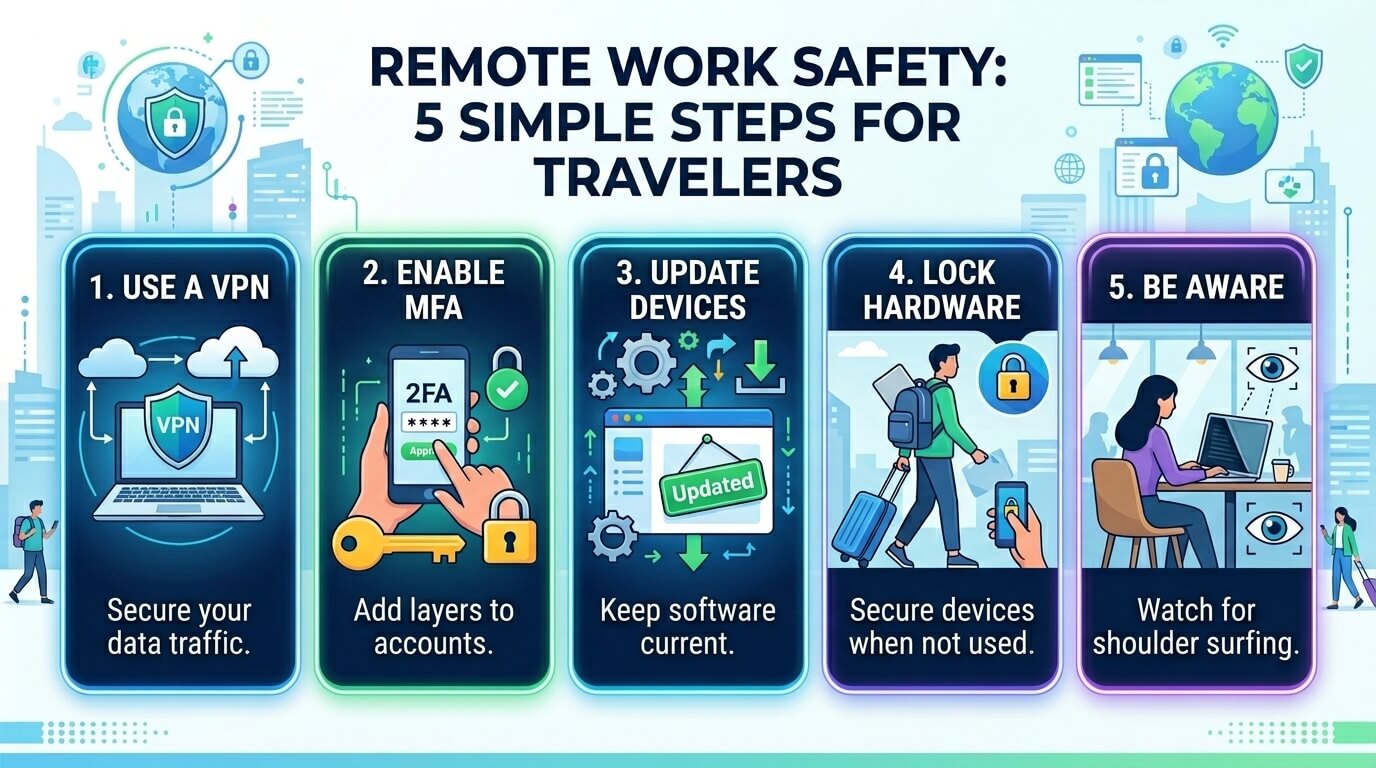
1. Use a Reputable VPN (No Exceptions)
Public Wi-Fi—whether at an airport, hotel, or coffee shop—is notoriously insecure. Hackers can easily set up “Evil Twin” hotspots or use “Man-in-the-Middle” attacks to intercept your login credentials, emails, and credit card numbers.
- The Fix: Always use a Virtual Private Network (VPN). A VPN creates an encrypted tunnel for your data, making it unreadable to anyone snooping on the network.
- Pro Tip: Avoid free VPNs, which often sell your browsing data to third parties. Stick to reputable, paid services like NordVPN, ExpressVPN, or your company’s proprietary corporate VPN.
2. Enable Multi-Factor Authentication (MFA)
Traveling increases the likelihood of your passwords being compromised via shoulder surfing or unsecured networks. If a hacker gets your password, MFA is the only thing standing between them and your company’s sensitive data.
- The Fix: Ensure MFA is enabled on every single account—email, Slack, cloud storage, and banking.
- Pro Tip: Use an authenticator app (like Google Authenticator or Microsoft Authenticator) or a hardware key (like YubiKey) rather than SMS codes. SMS codes can be intercepted through “SIM swapping” attacks, which are more common when traveling internationally.
3. Invest in a Physical Privacy Screen
Data theft isn’t always high-tech; sometimes it’s as simple as someone looking over your shoulder. In cramped spaces like airplanes or busy cafes, “visual hacking” is a legitimate threat to confidential documents and client information.
- The Fix: Buy a polarized privacy filter for your laptop and smartphone. These screens narrow the viewing angle so that the display appears black to anyone not sitting directly in front of it.
- Pro Tip: Beyond the screen, be mindful of your surroundings. Avoid taking confidential Zoom calls in public areas where people can overhear sensitive project names or financial figures.
4. Update Everything Before You Leave
Hackers exploit “vulnerabilities”—weaknesses in software that haven’t been patched yet. If you’re traveling with an outdated operating system or browser, you’re essentially leaving your digital front door unlocked.
- The Fix: A few days before your trip, run all pending updates for your OS (Windows/macOS), your browsers, and your security software.
- Pro Tip: While you’re at it, perform a full system backup to the cloud or an encrypted external drive. If your laptop is lost, stolen, or broken during transit, you won’t lose weeks of hard work.
5. Secure Your Hardware Physically
Digital security means nothing if someone walks away with your laptop. Physical theft is the most common way remote workers lose data.
- The Fix: Never leave your devices unattended in a public space, even for a “quick” bathroom break. When staying in hotels, utilize the in-room safe for your laptop and tablets.
- Pro Tip: Enable “Find My Device” (for Mac/PC) and “Remote Wipe” capabilities. If your device is stolen, you can remotely erase all data the moment it connects to the internet, ensuring your company’s secrets don’t fall into the wrong hands.
Summary Checklist for Your Next Trip:
- VPN installed and tested.
- MFA active on all primary work accounts.
- Privacy Screen attached to the laptop.
- Software Updates completed.
- Remote Wipe enabled on all devices.
By taking these five steps, you can enjoy the freedom of remote work without turning your vacation into a cybersecurity nightmare. Stay safe, stay connected, and keep your data locked down.



![10 Benefits of the Internet of Things You Should Know [2027]](https://www.appstory.org/wp-content/uploads/2025/03/ATS-10-Benefits-of-the-Internet-of-Things-You-Should-Know-2025@2x-300x142.png)