Author: Kenneth Garza

  • Here’s How People Will Stick to Your Mobile App

    Here’s How People Will Stick to Your Mobile App

    Acquiring long lasting users is indeed a challenging task for your business mobile app. If you own a mobile app development company and you want to retain more and more users, then you need high levels of dedication, efforts and of course an amazing idea.

    One of the most effective ways for your mobile app idea is to design and develop in a way so that users will find it difficult to put it down. Remember, successful mobile apps are addictive.

    But the question is how you can predict your mobile app will be a huge success.

    To create a more successful mobile app, here are some amazing ideas that will get users hooked on your app.

    Make it Useful

    People won’t bother downloading or installing a copycat app. Keep in mind, uniqueness is the key that can only be achieved with an innovative feature. Take an example of Snapchat, it’s self-deleting feature make it stand out from similar group of apps and gain massive followers.

    Carefully figure out what feature is missing out in apps available in app stores and then use your creative flair to provide it. A professional mobile app development company is able to use the latest technology to help you come up with a unique idea.

    Make it Easy

    If you need a lengthy description to explain features of your app, then your app is complicated. Simplicity in design and functionality are the hallmarks of successful mobile apps.

    But achieving simplicity is an intricate task. To meet users’ needs, mobile app developers need to understand what they actually want. If you know what your target market wants, test you understanding with a particular demographic group.

    Once you have a better understanding of users’ requirements, you can develop your app around unique features. Remove all those features that can make your app complex. The major reason a useful app is flopped, is that it is too complicated.

    First Few Screens are Engaging

    Keep in mind, the first impression of your app may be the last impression. Mobile apps must be engaging and outstanding especially in the first two to three screens. As these screens decides whether the app is engaging or not.

    It is advised to use clear and eye-catching designs in your first few screens that communicate things clearly to make it easier for users to explore the app. Your dashboard should be user-friendly and educate users with engaging features.

    Engage Users Even When They are not Using it

    It is advised to engage your users even when they are not using your app. You can simply use push notifications that remind users of your app and encourage them to use it.

    Push notifications can drive user engagement, send new content, updates, surveys and ask feedback on certain issues. But if your notifications are too forceful, they may make users to uninstall your app. Send push notifications only when you have a design update and any important piece of information.

    Make it Fast

    Users want mobile apps that respond fast and function well. Your mobile app should download and install quickly and must be fast enough so that people can use it at the speed of a swipe. Users relate speed with quality and mobile apps that work slowly are considered poor performing apps.

    If your app performs slowly, its unique features are simply wasted. It is recommended to make content and design completely optimized for speed.

    Make Your Monetization Strategy User-Friendly

    There are many ways to make your app user-friendly, choose the way that best suits for your users. Users want to use the app for free, so the freemium model that has an in-app purchase option is the best option. Adding multiple in-app purchase options can make your users confused. In addition, avoid in-app advertising as ads distracts users and can affect your app speed and performance.

    Make sure to follow all these important points while building your next mobile app. This will surely help you come up with a perfect app that works well and keep users engaged.

  • Instagram app stories spin as 1 everyday use overshadow Snapchat

    Instagram app stories spin as 1 everyday use overshadow Snapchat

    Instagram stories have floweret no time ever before. By chasing the Snapchat invention “Stories” Instagram has become a leading communication app since last five years of its launching. Almost half of its business has generated through story every end of the month. Finally, average users of Instagram are spending more than 32 minutes on the instant messaging application which is quite more than other social networking apps and it overshadows the mighty Snapchat.

    Instagram app stories turning as 1 and its individual usage is up to 32 minutes compared to Snapchat it’s quite good. Therefore, Instagram has become one of the most popular social messaging apps globally. Since last five years, when it is been launched, almost half of revenue is been generated through the Instagram stories which are quite amazing and it seems more popular than the Snapchat.

    If Facebook had its target to beat the Snapchat on its way of success, then through Instagram it’s been done through its “Stories”. The mighty Snap that’s monthly average use plunges from 17% per quarter to just 5% and on another hand, Snapchat shared price had decreased from 17$ to 13 $. But, Instagram stories has almost 250 million daily users all across the world, in spite of this Snap chat the founder of Stories has 166 million daily users of the stories. The user of Instagram spend almost 30 minutes each day and Snapchat users spend almost 25 seconds up to 20 minutes per day.

    Now it is very simple to know that why users are turning towards Instagram. It has copied few of Snap’s basics use cases and other effective tricks. Instagram has very similar tools to the Snapchat such as augmented reality filter which is quite a copy of Snapchat and virtual puppy ears. If we look further deeply we would come to know that the five of the Instagram face filters such as bunny years, Koala years and few others are quite the same as Snap Chat’s meme-worth popularity of snap dog face. But Instagram not only took inspiration from Snapchat also introduced one of the best new features along with the Stickers packs, same as the below of Instagram stories’ first birthday.

    Instagram not only copied the Snapchat also put its efforts wisely and efficiently. It also took three years to come up with the version of stories and only took three months to create its own stickers.

    Instagram has copied the Snapchat stories but made Instagram one of Snapchat biggest private messaging rival. Since it allows its users to send instant visual messages that ultimately disappear, now it has largest fan following which is almost 375 million users in a single month. The Snap’s a really made difference and help out Instagram chat feature and enable the instant messaging app one of the greatest messaging app. Now, one out of 5 Instagram stories posted by business gets as direct message feedback, and enable the app to attract the advertisers which actually need private channels in order to connect with their customers.

    It’s been a year ago; it looked like that Snapchat will rule the digital media. We had an idea that its screen sharing will not be comparable to anyone.  It seems impossible to think that a more massive window into friends would not possible. But Facebook and Instagram don’t have to outdo Snapchat. They just have to copy it and add some more interesting features and competing with Snapchat with sheer power.

    Conclusion:

    Instagram has worked smarter, it may take some time but currently, it is competing with the Snapchat and it outdated Snapchat in stories by making its clone.

  • Music paradise pro music app for iOS user

    Music paradise pro music app for iOS user

    Music lovers, if you are searching for the apps to download music tracks, ringtones, songs etc on your device like iOS, Android, PC then we have chosen Music Paradise Pro for you. It is one of the most popular music streaming player apps where you can download music without paying money and can listen to the music that you want to hear.

    Basically, in this Post, we are going to discuss the downloading process for iOS users. Mainly iOS users use iTunes for downloading the track, and others by paying sort of money, if you are also downloading tracks by paying money then you can escape from it by downloading the Music Paradise Pro app for your iOS device.

    To download Music Paradise Pro apps for your iOS device you will need to use other methods because it is unavailable to get in Apple App Store. But doesn’t worry below we have provided the process to download for your device. Stick to it to get further information.

    Downloading procedure of Music Paradise Pro for iOS

    You have been using iTunes for downloading tracks by paying money but now escape from it by downloading Music Paradise Pro app. To download this app you may not find in Apple Play Store so, it will be better for you if you try another method for downloading.

    Below we have given some process for downloading this app for iOS, check it out;

    • At first, you will need to get Cydia Impactor app downloaded and installed on Microsoft Windows.
    • After that download the IPA file for Music Paradise Pro on your Windows.
    • Now you can launch Cydia Impactor on your device by connecting it to your computer.
    • After that go to the directory folder of Music Paradise Pro. Now you can drag and drop the IPA file that you have downloaded in the Cydia Impactor app that is running behind.
    • Now you can follow the details that Cydia Impactor has asked you to fill on your Apple account, do it and you will be allowed to download and install Music Paradise Pro on iOS device.
    • Music Paradise Pro is ready to use for your iOS device. Enjoy downloading tracks, songs, etc without paying any bucks to the companies.

    These were the procedure of downloading Music Paradise App on your iOS device. This app is not available on Play Store so you will need to follow the process given above to download the apps. Download it and enjoy your each and every second by listening to tracks that you want without paying any bucks. If you are new to this app and do not know to use then see the post below.

    Process of Using Music Paradise Pro on iOS Device

    Music Paradise will work very well on your device. If you are newly installed this app this post is going to help you. We have provided some steps below check it out to use it on your device.

    Here are the steps, check it out to use it on your device;

    • First of all, open the Music Paradise Pro App that you have installed on your iOS device.
    • Now it will ask you to allow media library to play songs from iTunes, allow it by clicking on connect.
    • Again it will ask you to access Apple Music for music and video activity on media library, access it by tapping on OK button.
    • Now your iPhone displays will show you to scan iTunes Library, Scan it.
    • Tap on the Music Paradise Pro apps to sync with tracks from your device.
    • All the songs from your device will be displayed on Music paradise Pro app.
    • Now you can totally use Music Paradise Pro app by downloading your favorite songs, albums etc.

    Hope the above process for how to use Music Paradise pro on your iOS device helped you. Start using the apps and listen to your favorite songs and albums.

    Final Words

    Music Paradise pro app is a music streaming player which will help you to get downloaded the songs that you want especially to the iOS users. You can download music without paying any sort of money. This app is really best in downloading music, albums etc. So, iOS users escape for paying money in downloading music from other apps and start downloading the Music Paradise Pro apps and use it.

  • Online Pokemon Go game best Tips for Android

    Online Pokemon Go game best Tips for Android

    Pokemon Go is a very popular game for Android as well as iOS Smartphones. This game is developed with interesting features which feel you better while playing this game. Besides the default features, you can also customise this game in many ways. Most of the Pokemon game lovers want something new on their game. There are many tips and tricks available to add new features in this game and make it more awesome than earlier. So today we are going to discuss the best Pokemon Go Tips for users.  These tips and tricks you can avail for free to add in your game.

    The main aim of playing this game is to catch more Pokemon as you can to make the highest scores. For catching those Pokemon you need high end GPS system, on screen controls, Snipers etc. and much more. Now here we will list out all those best Pokemon Go tips which players must needs while playing this game on smartphones.

    Lists of best Pokemon Go Tips:-

    Pokemon lovers have reached to the portion from where you all can able to get know about best Pokemon Go playing tricks. With the detail information, we are going to discuss those tips here. So have a look on these to get know them more clearly.

    • Use location tracker hack tools:-

    Location tracker tools are some of the apps which you need to download to track Pokemon. Some of the best location tracker tools are Pokemap etc. These are the best tools among all to find the exact location of Pokemon nearby you. Thus you need not move here and there to find the location and info of Pokemon.

    download Pokemap live Apk

    • Introduce new Gyms works and raids concept:-

    If the Player wants to collect the more coins and points then use the Gyms concept. Users need to play enough amount of raid and thus they can avail the main legendary. Even you can avail various Gym related medals to unlock using this trick. It also provides you an uncountable upgraded Gym badges on this game.

    • Get Prepared to travel around:-

    To play this game properly then player need to get prepared to travel around. In this tip, you will get a sign of radar on the bottom right side of the screen. It will find out the creatures present in this game. Player will get the real life locations on the screen where the creatures are located currently. Pokemon GO nest helps you to find and locate the nests in UK, London, and other places as well.

    • Increase the power of productivity in egg hatching:-

    You need not move around to increase the egg hatching productivity. So if you leave your phone idle by open this game, you trainer will sometimes push slightly from the side to side and the GPS location will gradually narrow down slowly. This slowly pushing movement will count as a turn to increase the hatching toward movements.

    • At Poke Stop don’t need to tap on each item:-

    When you are going to spin a Poke Stop, You need not tap on each items floating on the screen. Thus it will help you to save the time and if you tap on the bottom of the screen, it will automatically collect all the items easily. So this is a very useful time-saving trick and tip for Pokemon Go.

    Besides these tips, there are many other tips available in this game to avail. But according to the needs of users, these above-discussed tips are the primary and most useful for all. Hope you all are very much satisfied with the information which we have provided here about the Poke Stop game. If you all need these type of custom features on your game then use these tips to make this game more interesting than earlier.

    Pokémon GO
    Pokémon GO
    Price: Free


  • Top 6 iPhone Shopping Apps The Best Apps for Finding Deals and Steals

    Some of the best iPhone shopping apps can help you save money on the things you buy everyday. Others help you compare prices, find nearby stores, or figure out if a product is a dud. Shopping apps also include a lot of cool technology — from picture recognition to barcode scanners. Whatever your need, these apps have you covered on your next shopping trip.

    You can buy pretty much anything at Amazon.com, and the Amazon Mobile app(Free) makes it easy to shop right from your iPhone. As the name suggests, the app is a mobile version of Amazon.com and it’s just as easy to use as the website itself. The app syncs with the website, so your shopping and wish lists are transferred automatically. The best part? Take a picture of a product with your iPhone’s camera and the nifty Amazon Remembers feature will identify that product and find it on Amazon.com. Overall rating: 5 stars out of 5.

    Amazon Shopping
    Amazon Shopping
    Developer: AMZN Mobile LLC
    Price: Free+

    If you haven’t downloaded Groupon (Free) yet, what are you waiting for? This iPhone shopping app is lots of fun to use and can save you a bunch of money. Groupon uses group purchasing to help users get a price break on everything from teeth whitening to helicopter tours. The app also includes a good number of restaurant deals. Groupon is easy to use and you can purchase the deals directly from the app. Overall rating: 5 stars out of 5.

     
    Groupon - Local Deals Near Me
    Groupon - Local Deals Near Me

    While most iPod shopping apps are designed to help you save money, the GoodGuide app (Free) has a unique goal — to help you identify products that are good for you and the environment. It includes ratings for more than 65,000 products, and each one is scored on environmental, health, and social criteria. The barcode scanner makes it easy to look up product ratings, although it sometimes struggles with glare. The GoodGuide app is particularly useful for food shopping, since it helps you identify healthier choices. Overall rating: 4 stars out of 5.

    Unknown app
    Unknown app
    Developer: Unknown
    Price: Free

    Consumer Reports has an iPhone app (US$9.99), which includes most of the organization’s excellent product testing. You can browse ratings and Best Buys within several categories, including appliances, electronics, and baby gear. However, the app doesn’t include all of the reports you can find at ConsumerReports.org, and it doesn’t have any car coverage. Even so, it’s worth a download if you need to compare products or view testing details. Overall rating: 3.5 stars out of 5.

    Looking for a deal? The Coupon Sherpa app (Free) compiles Internet coupons from a variety of stores into one convenient location. It doesn’t include grocery coupons, but you can find deals on everything from pet food to clothing. The coupons are current and constantly updated, although the app sometimes includes stores that aren’t in my area. Since the app is free, it’s worth a download to see if it includes stores near you. Overall rating: 3.5 stars out of 5. 

    Discount clothing apparel app (Free) that searches a variety of websites to find the best deal for what you’re looking for. It will tell you what styles are trending and offer suggestions for particular items. It searches every online store from high-end retailers, such as Neiman Marcus, to discount designer Web-based stores, like Bluefly.com. Overall rating: 4 out of 5 stars.

    Unknown app
    Unknown app
    Developer: Unknown
    Price: Free
    Some of the best iPhone shopping apps can help you save money. Others can help you compare prices, find nearby stores or if a product is a dud.


  • The 8 Best Toggl Alternatives for Desktop and Mobile

    The 8 Best Toggl Alternatives for Desktop and Mobile

    Toggl is a popular time-tracking app that many freelancers and remote teams use, but there are also many alternatives that offer more features and added benefits. While on the surface these Toggl alternatives might seem pretty similar, each comes with its own benefits and drawbacks.

    For example, Everhour integrates right into your Trello or Asana Dashboard, but doesn’t provide any in-depth tracking options. Meanwhile, FreshBooks is extremely easy to use and comes with some well-designed data visualization tools, but won’t work for teams bigger than six people.

    And of course, pricing is extremely variable: Some of the Toggl alternatives on this list are free, while the most expensive tops out at $399 per month.

    To discover which time-tracking solution is ideal for you, check out the pros and cons to these 8 Toggl alternatives.
    1. Hubstaff

    Hubstaff screenshot | The Best iOS Time Tracking Apps in 2016

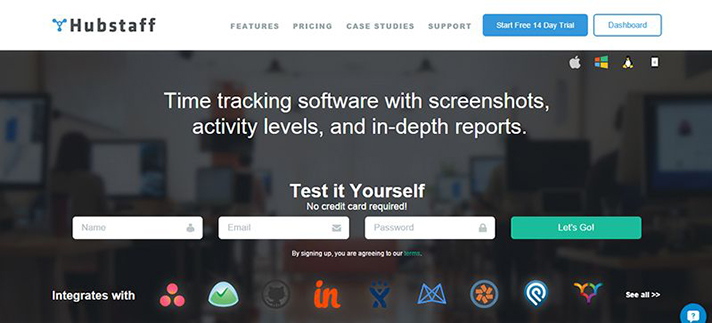
    Our lightweight desktop app is a fantastic Toggl alternative if you or your team members want more advanced features. Along with one-click time tracking, tracking data, and off-line support, Hubstaff offers a whole host of functions that Toggl does not.

    For example, you can set time limits and budgets. Let’s say you’ve hired a freelance web developer. You can afford to pay them for 20 hours of work each week, and no more – so you give them a weekly allotment of 20 hours. When they hit that cap, our program won’t allow them to log any more time.

    In addition, Hubstaff enables automatic payroll. Don’t worry about the hassle of receiving invoices, approving them, and sending appropriate payments to each employee; our software will take care of everything. Since workers are held accountable by random screenshots, activity levels, and URL/application tracking, you also won’t have to worry about overpaying anyone.

    (And if you don’t want to monitor one or all of your employees, simply change their individual settings.)

    Hubstaff integrates with the software you already know, love, and use: from project management tools like Asana, Jira, Trello, and Podio; to payment apps like PayPal and QuickBooks; to sales and customer support solutions like Salesforce and Zendesk.

    Price: free for Lite (1 user); starting at $5/month for Basic (1 user); starting at $9/month for Premium (1 user)

    Track Remote Time with Hubstaff

    Free for 14 Days
    2. Paymo

    Paymo

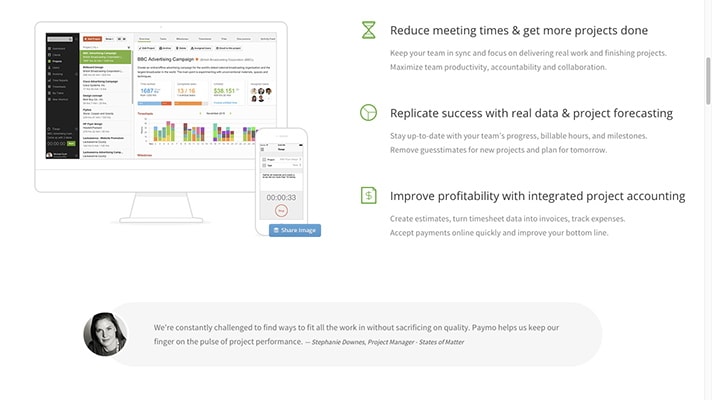
    If you feel overwhelmed by the number of apps and tech that you use on a daily basis, Paymo might be a good fit for you. This app combines several important tasks: time tracking, project management, and file sharing.

    To see how these functions work together, let’s walk through a use case.

    You need to design a logo for a client, so you log into Paymo, pull up the appropriate project, add a “Logo” task, and start the timer. When you’ve finished, you end the timer; your work is automatically added to the timesheet. After the entire project is completed, you can use Paymo to send your invoice and receive your payment.

    In addition to a desktop and web app, Paymo also offers “automatic” time-tracking–the software will log everything you do on your computer throughout the day, so at night, you can easily assign specific tasks to projects and clients.

    Price: $4.95 per user/month
    3. RescueTime

    time-tracking-software-for-freelancers-rescuetime-1024x482

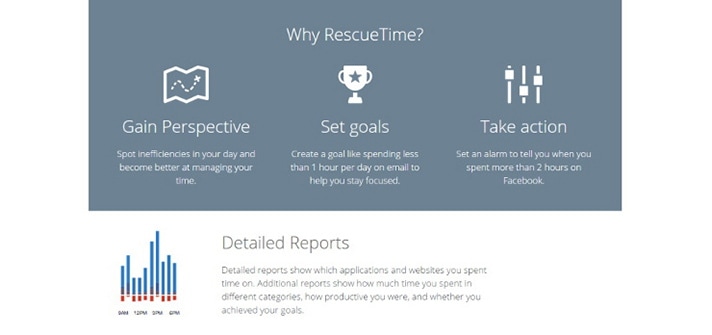
    To monitor how productive you’re being, RescueTime is an excellent choice. It’s a downloadable app that runs silently on your computer. Every application you use and URL you visit is recorded, and they’re also categorized by utility: from “very productive” to “very distracting.”

    The customizable reports are really helpful for learning more about how you spend your time and where you can become more efficient. For example, you might see that you spend a whopping three hours a day on news and media sites–way longer than you’d like. Fortunately, RescueTime allows you to set goals (say, “Spend 2 hours or less on News & Opinion.”)

    In addition, you can enable FocusTime. As long as FocusTime is on, you won’t be able to visit any “distracting” or “very distracting” websites (at least, not without jumping through a ton of hoops). It’s incredibly handy when you need to buckle down and get some work down.

    Price: Free for Lite version; $9/month for Premium
    4. TimeDoctor

    Time Doctor

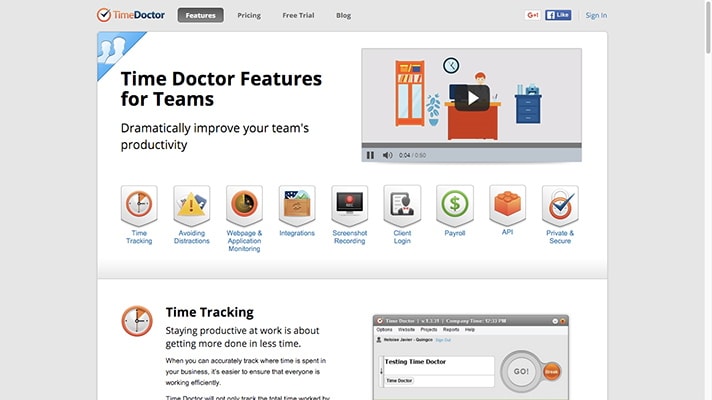
    Like RescueTime, TimeDoctor is a desktop app that logs your applications and URLs. There are also iOS and Android apps. However, TimeDoctor also offers a timer that you and your team members turn on and off manually.

    Each day and/or week, users receive a detailed report of how they spent their time. You can also create white-label reports for clients; note that to see these reports, clients will need to log into TimeDoctor.

    If the software notices you’re spending too much time on Facebook, Youtube, Twitter, etc. while the timer is running, it’ll send you a little nudge to get back to work.

    Also, if you’re managing a remote team, you have the option of taking periodic screenshots of your reports’ computer screens.

    Price: free for limited use; $5/month for Solo plan; $9.99 per user/month for teams
    5. DeskTime

    Screenshot 2016-02-06 21.00.03

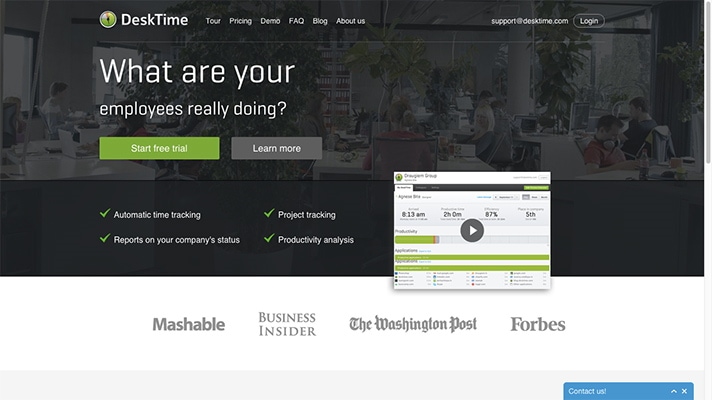
    This application is pretty similar to RescueTime; it essentially offers the same set of features, including application and URL tracking and productivity stats.

    Unlike RescueTime, however, it’s primarily meant for companies who employ on-site, hourly workers. Not only is DeskTime set up to show you who’s on time, absent, late, and so on, but it isn’t configured to run on weekends or on your workers’ personal computers.

    Also, depending on the nature of an employee’s work, the automatic categorization might be problematic. Let’s say you’ve hired a temporary worker to help you answer customer inquiries over social media. If that worker goes on Twitter and Facebook, DeskTime will classify their time as “unproductive.”

    For those two reasons, I wouldn’t recommend DeskTime if you’re working with freelancers or remote workers.

    Price: free for 1 user; $9 per user/month (up to 20 users); $199/month (21-50 users); $299/month (51-90 users); $399/month (91-200 users)
    6. Everhour

    Everhour

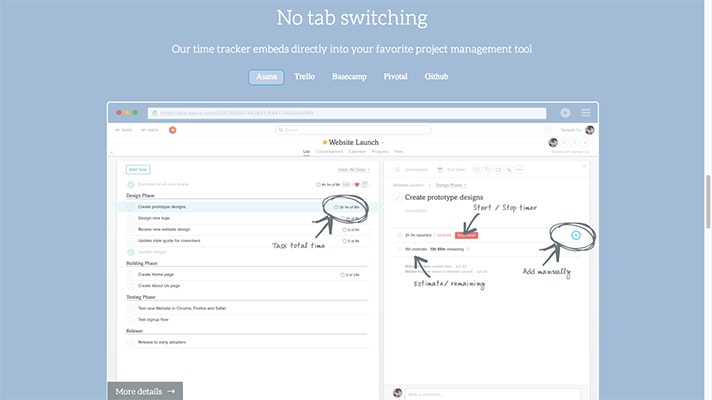
    Do you already rely on a project management app, like Asana, Trello, Basecamp, Pivotal, or Github? If so, consider installing Everhour’s browser extension (available for Safari, Chrome, and Firefox).

    It embeds straight into your tool of choice. You and your team members can use the timer, or enter time manually. The reporting options are pretty robust: Everhour allows you to see what’s been done during a certain period of time, which activities each individual has worked on, and how much progress has been made on a project.

    Once you’re ready to do something with that data, export it to Google Drive, Excel, or a CSV file. Or if you want to bill a client, the app links to FreshBooks and Xero.

    Everhour is ideal for those who want to track their time but feel tired merely thinking about learning to use a new tool. On the other hand, it’s not a good fit for managers who want to monitor their reports’ productivity.

    Price: $7/month (1 user); $19/month (2-5 users); $39/month (6-15 users); $119/month (16-30 users); $249/month (31-50 users); $399/month (51-100 users)
    7. Harvest

    Harvest

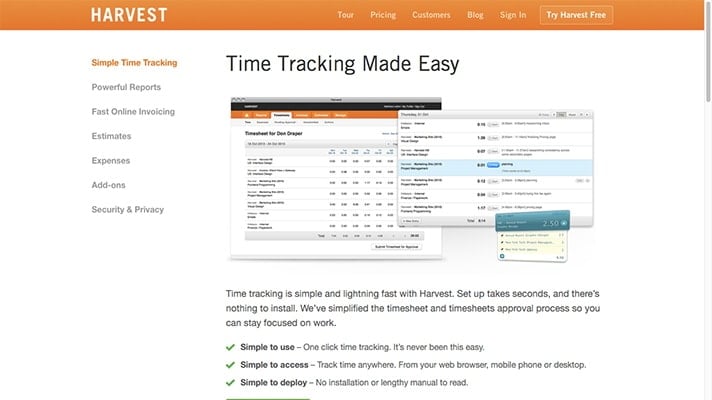
    Your employees can log their time via Harvest in a variety of different ways: on their computer, from the phone app, or even on their Apple Watch.

    Harvest has some other handy features. Set hourly and fee-based budgets to ensure that your project is staying on-track; run reports on billable and non-billable times for specific employees, tasks, clients, and projects; and send automated messages to clients reminding them to pay.

    Supervisors have the power to not only edit and approve timesheets but also approve expenses–definitely not a standard feature in a time-tracking app.

    Would Harvest work for freelancers and independent workers? Sure, but you won’t be using many of the features that make Harvest worth using in the first place.

    Price: free for limited plan (1 user); $12/month for Solo (1-3 users); $49/month for Basic (5-9 users); $99/month for Business (10+ users)
    8. FreshBooks

    Freshbooks-cloud-accounting-interface

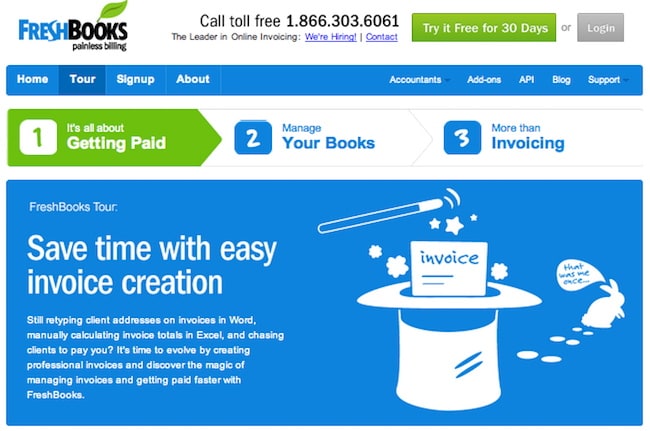
    You probably know FreshBooks as the online invoicing platform. The company added time-tracking functionality to its existing product – so to use this option, you’ll need to invoice via FreshBooks.

    Having your time-tracking tool inside your payment platform is definitely convenient. Just click the timer, and FreshBooks will keep track of your minutes spent working. To ensure that you’re not spending too long on any tasks, set project estimates. Your actual time spent working will be displayed alongside your projected time.

    FreshBooks has done a great job with its calendar tab, which gives a bird’s-eye view of how much time you and your team members have logged per day. For example, on Monday you might see “17”: that indicates in total, the team worked 17 hours.

    But your team has to be fairly small to use Freshbooks. The most comprehensive plan only covers 5 staff members.

    You should also factor in the apps the platform works with, although some integrations (PayPal, Basecamp) are more useful than others (Mailchimp).

    Price: $14.95/month (bill up to 5 clients); $24.95/month (bill up to 25 clients); $34.95/month (bill up to 50 clients & add 1 staff member); $49.95/month (bill up to 250 clients & add 5 staff members)

    Original Post –

  • Carrot adds new features to its comically malicious AI weather app

    Carrot adds new features to its comically malicious AI weather app

    Carrot Weather is part of developer Brian Mueller’s series of useful productivity tool apps. If you’ve never used one of Mueller’s Carrot apps, there’s one core conceit to all of them: each app features an AI character named Carrot who, to put it simply, rather dramatically hates humans. Carrot Fitness, for example, will berate the user for missing workouts and not hitting goals while threatening to destroy mankind. Carrot To-Do will judge you as a “lazy meatbag” for leaving tasks unfinished.

    Carrot Weather — which recently got a brand-new version 4.0 overhaul — takes less advantage of Carrot as a friendly antagonist (since there’s less direct interaction when it comes to checking the weather), but it’s still the most fun I’ve ever had in a weather app.

    Users can directly interact with Carrot by swiping down on the screen. The AI’s personality feels like a combination of sci-fi’s best murderous robots — think somewhere been 2001: A Space Odessey’s HAL, Portal’s GLaDOS, and Knight’s of the Old Republic’s HK-47 — and the mocking comments about the weather I’m suffering was legitimately entertaining to read.

    CARROT Weather: Alerts & Radar
    CARROT Weather: Alerts & Radar
    Developer: Grailr LLC
    Price: Free+

    Carrot Weather 4.0 beautifully redesigns the app, with a far more useful scrolling interface that shows hourly forecast data, complete with small, animated scenes that react in time to the current weather. Plus, Carrot pulls data from Dark Sky, one of the most accurate weather apps around, especially when it comes to current local conditions. Also added in the update is a new Premium subscription ($2.49 per year, or $0.49 per month), which allows even more granular weather data — like visibility, UV index, and pressure — the use of Weather Underground as forecast source, and a longer hourly forecast. And there’s a new scavenger hunt mode, which lets you (with Carrot’s grudging help) find various locations around the world. яндекс

    Productivity ff

    The new version of the app also allows users to tweak the friendliness of Carrot, Interstellar-style — ranging from fully professional, which turns Carrot off completely to leave you with a nicely designed weather app, to mildly snarky, to full on homicidal. In my brief time playing around with the app, Carrot threatened to send a tornado after me.

    Carrot costs $3.99, which is obviously more expensive than, say, the free weather app that comes with your phone. But the combination of great features (including the Dark Sky forecast, which would cost $3.99 on its own), the slick design, and the bonus entertainment actually make it worth the cost of a small coffee.

    CARROT Weather: Alerts & Radar
    CARROT Weather: Alerts & Radar
    Developer: Grailr LLC
    Price: Free+
    ⭐
    Community Rating 4.8/5
    1 total contest vote
  • 10 of the best racing games for Android, iPhone and iPad

    10 of the best racing games for Android, iPhone and iPad

    Racing is one of the genres that many people assume works best on a console or PC with a joypad – or a wheel peripheral if you’re feeling flash. Yet plenty of developers have been taking the genre to mobile devices too.

    Some draw heavily on their console heritage, while others have tried to reinvent the category for touchscreen controls and shorter, mobile-friendly sessions. Here are 10 of the best Android and iOS racing games worth accelerating on to the app stores for.

    Race the Sun
    iOS (+ Android beta)

    Forget cars: the best mobile racer might just be this one, which puts you at the controls of a solar-powered glider. You’re racing against the setting sun – hence the name – with the world around you changing every day you play. Some clever ideas complemented by solid gameplay. It’s not out for Android devices yet, but a beta is about to get underway.

    Asphalt 8: Airborne
    Android / iOS / Windows Phone

    One of the longest-established mobile racing franchises in the world, here: Asphalt was burning rubber long before iPhone and Android existed. Its eighth incarnation is the best yet: a huge number of cars to unlock, a comprehensive career mode, and impressive online multiplayer races.

    Hovercraft: Takedown
    Android / iOS

    There’s a whiff of Crossy Road in the colourful, blocky hovercraft that you’ll be racing in this game. However, the gameplay is classic racing, with the real joy coming from the game’s crafting aspects: you can design your own vehicle, load it with weapons and tweak to suit your driving style.

    Real Racing 3
    Android / iOS

    Real Racing 3’s freemium aspects caused some protests when it came out in 2013, but the game has been evolving nicely over the past three years while taming some of those early, aggressive prompts to pay. It looks fantastic, runs like a dream, and offers considerable depth as you unlock and upgrade cars while moving through its competitions. Here, too, online multiplayer is a big draw.

    CSR Classics
    Android / iOS

    While the wait for the sequel to the excellent CSR Racing goes on, try CSR Classics on for size. It’s the same drag-strip racing gameplay – it’s all about the acceleration and perfectly-timed gear changes – but with an array of vintage vehicles to race with. The graphics are spiffing, and the gameplay matches them.

    Need for Speed: No Limits
    Android / iOS

    One of the biggest console racing franchises has translated smoothly to mobile in its latest version. It’s a familiar mix of street-racing and ride-pimping, with the slip-slidey cornering and strategic boosts that NFS players are accustomed to. As with Real Racing 3, there are plenty of races to get your teeth into.

    Horizon Chase – World Tour
    Android / iOS

    Now for something more retro: if you grew up on arcade-racing games like Out Run, Horizon Chase will bring the memories flooding back. It’s more than a pure homage though: the 16-bit-style graphics are just right, but the touchscreen controls work well, and the gameplay feels fresh enough to keep you involved.

    Thumb Drift
    Android / iOS

    There’s plenty of drifting to be done in many of these games, but Thumb Drift makes sliding round the track its focus. It’s marvellous too: the controls are beautifully-crafted to make one-thumbed cornering fun rather than frustrating. With more than 60 cars to unlock, there’s variety too.

    FRZ Racing
    Android / iOS

    Another game that may remind you of the racers you played in your youth: this is a top-down driving game where you speed around tracks in short, focused races. Unlocks and upgrades are built neatly in to your progression, while its social leaderboards and challenges will provide bragging rights.

    Traffic Rider
    Android / iOS / Windows Phone

    Finally, a first-person motorbiking game that lets you do everything you wouldn’t do in real life, zipping between traffic for overtaking manoeuvres that would whip up a screaming-sirened chasing pack of police cars in the real world. It suits pick-up-and-play sessions really well.

    That’s our selection, now tell us what we’ve missed. The comments section is open for your mobile-racing recommendations, as well as your thoughts on the games we’ve chosen above.

  • 10 Smart Home Apps That Make You Want the Apple Watch

    10 Smart Home Apps That Make You Want the Apple Watch

    Remember all of the hype surrounding the Apple Watch? At least 1.5 million of you certainly do. That’s how many of the wearable devices were pre-sold before the actual April 24 release date. Well, the Apple Watch is readily available now, but some of the fanfare seems to have died down a bit.

    According to a recent report by Slice Intelligence, Apple Watch sales are down a whopping 90 percent. Don’t sound that death knell just yet, though. As The Motley Fool points out, the iPhone was a bit of a slow starter as well. Need a little incentive to purchase one of those wearables?

    The Apple Watch is basically like: an iPhone for your wrist—but settle down, Dick Tracy. It actually ditches the phone part and instead opts to put: messaging, health and fitness, and a slew of apps into that high-tech timepiece.

    It’s also available in three flavors: The Apple Watch, the Apple Watch Sport and the Apple Watch Edition. Choose one based on the size, finish and band to fit your style—and your budget. The Sport edition has an MSRP of $349 to $399, the standard Apple Watch ranges from $549 to $1,099, and the Apple Watch Edition is exclusive to those willing to spend a minimum of 10 grand on an Apple Watch. If you fall into the latter category, you’ll get custom rose or yellow 18-karat gold alloys in exchange.

    If you’re still wondering whether or not you want something permanently attached to your wrist, know that there are a lot of smart home apps available for this high-tech wearable. Having that kind of access at your fingertips wrist means that you’ll never have to wonder where your smartphone is to turn on the TV, adjust the lights, and crank up the air conditioner. Looking for a few good reasons to spend the cash? Let’s take a peek at 10: smart home apps currently available on the Apple Watch.

    Oh and FYI: All of them are free, unless otherwise noted.

    Apple Watch Smart Home Apps: Alarm.com

    Alarm.com
    While most people would: expect something from Alarm.com to handle security, this app does so much more. Of course, it does provide a live peek at your home right on your wrist. However, as one of the first smart home apps for the Apple Watch, this option actually touches a lot of smart home devices, including thermostats, lights, locks and the garage door. Other features include reminders, alerts and triggers. It can also deliver location-based actions, so the system knows when you leave without arming the security system or locking a door. It even allows you to fix those problems with one tap.

    Where to Get It: Alarm.com on iTunes

    Apple Watch Smart Home Apps: Lutron

    Lutron Caséta Wireless
    As if lighting control couldn’t get any cooler, this app can put all of those options and a few extras right on your wrist. Not only can you control lights from in: the home and while out on the town, but Lutron also included options for shade and thermostat control in the Caséta Wireless Apple Watch app. Having this convenience means you’ll never have to enter a dark house, leave the hallway light on, or leave your home open to potential predators. If you do leave the house with the lights on, the app will send out a notice giving you the option to turn them off with a single tap. View demo

    Where to Get It: Lutron on iTunes

    Apple Watch Smart Home Apps: Honeywell

    Honeywell Lyric
    In these steamy summer months, you probably want to keep those smart thermostat controls very close. Nothing is closer than on your actual body! Honeywell’s app allows users to view and change the system mode setting, tweak temperatures, change the fan mode, enter or exit the Away mode, and more. If you’re away from home, the Watch’s geo-fencing features can actually sense that, offering you the option to switch to the “Out of Town” mode to save energy. It even knows when you’re back and will adjust the thermostat accordingly.

    Where to Get It: Honeywell on iTunes

    Apple Watch Smart Home Apps: QuickSwitch

    QuickSwitch for Belkin WeMo
    Belkin hasn’t created anything for the Apple Watch yet. However, all you: need is John Hickey’s little app, which allows users to toggle WeMo switches, outlets and light bulbs. The software developer also added the much-appreciated options to rename devices, as well as group and reorder items being used. It should be noted that you need to be on the same WiFi network as your switches, but users seem pretty pleased with the overall functionality. It’s nothing fancy, but it doesn’t need to be. [$1.99]

    Where to Get It: QuickSwitch for Belkin WeMo on iTunes

    Apple Watch Smart Home Apps: Withings

    Withings Home
    This app can tap into the Withings Home HD video camera, which provides a live peek with two-way audio, night vision, and a 130-degree viewing angle. However, besides the live look at everything from predators to pets to delivery people, Home users will receive alerts regarding sound, motion and even air quality. The camera also has a “Homelapse” feature, which can condense the day into a few seconds. As an added bonus for parents, this app offers access to lullabies or a nightlight to soothe a fussy baby with a simple touch of the wrist.

    Where to Get It: Withings on iTunes

    Apple Watch Smart Home Apps: ecobee

    ecobee3
    This smart thermostat recently announced plans to support Apple HomeKit, so it’s really no surprise that they have love for the Apple Watch as well. The app specifically works with the ecobee3, allowing users to remotely adjust the smart thermostat based on temperature and humidity levels. It can provide access to the system mode and status, the fan, and local forecasts. The app also provides: temperature and occupancy readings from ecobee sensors throughout the house, in order to create the most comfortable experience possible.

    Where to Get It: ecobee on iTunes


    Apple Watch Smart Home Apps: Insteon

    Insteon
    This easy, affordable DIY home automation solution just got easier, thanks to the Apple Watch. Just pair the $80 Insteon Hub with that wearable device. Once connected, you can remotely monitor everything from sensors and ceiling fans to lighting and security cameras. In fact, the app can: tap into almost every area of the connected home. There are even options to dim and power devices, access Favorites and Scenes, view live streaming video, and receive push notifications and alerts.

    Where to Get It: Insteon on iTunes

    Apple Watch Smart Home Apps: SmartThings

    SmartThings
    Despite being owned by Samsung, this home automation platform is very Apple-friendly. Like a few of the options on our list, SmartThings uses a hub to integrate: various parts of the Electronic House. The app doesn’t offer full functionality just yet, but has more than enough to get your started (and keep you connected) via the pre-configured collection of “Hello Home” actions to control lights, thermostats, security and more.

    Where to Get It: SmartThings on iTunes

    Apple Watch Smart Home Apps: IFTTT

    Do Button
    This little app is going to make a huge impact on Apple Watch users. That’s because it allows for all sorts of interesting home automation possibilities. You see, Do Button is by the IFTTT (“If This Then That”) people, which means that you can use the app to create all sorts of home automation “recipes”—and actually carry those actions out right from your wrist. It works with LIFX, Nest, WeMo, Philips hue, and hundreds of other apps and devices. That means you’ll be able to create Apple Watch shortcuts that allow you to set the thermostat, turn on lights, turn off the oven, and much more.

    Where to Get It: IFTTT on iTunes

    Apple Watch Smart Home Apps: Roomie

    Roomie Remote
    We recently mentioned this as one of our: home automation options for under $50, so why wouldn’t you want it on your wrist? This remote can tap into tons of AV devices, as well as smart home solutions: from Insteon, Nest, Lutron, SmartThings, Phillips, TiVo and more—up to 10 different devices, depending on your purchase plan. It can even group Rooms, Activities and Virtual Remotes. And because it’s attached to your wrist, you never have to worry about losing this remote in the couch cushions. [Starts at $9.99]

    Where to Get It: Roomie on iTunes

  • The Next Big Opportunity for Tech Entrepreneurs? ‘Smart’ Homes

    The Next Big Opportunity for Tech Entrepreneurs? ‘Smart’ Homes

    The role of technology in the home has changed drastically in recent years. We’ve come a long way from the kitchen wall phone and desktop computer, in an era when smartphones, tablets and wearables dominate the scene. The newest wave comes from the internet of things (IoT), and today’s offerings are raising the bar on what makes a device “smart.”

    Increasingly, “smart” means safe, in terms of security and health. Joe Colistra, architect at the Center for Design Research at the University of Kansas, was recently profiled in The Atlantic on his vision for a smart home that safeguards occupants’ well-being. Such updates include motion-sensing walls and force-detecting floors that notice walking problems in senior citizens. Another update: “smart toilets” that analyze biochemistry and report to doctors on the user’s health.

    With technology redefining home life in these ways, now seems like a ripe time for entrepreneurs to get in on the action. But, with the new terrain comes unforeseen pitfalls, so those looking to make that leap would do well to watch where they land.

    The pitfalls possible with “smart” homes

    Soon we will expect more and more from our homes in terms of safety and health monitoring, energy efficiency, convenienc, and other domains. But the path to success for entrepreneurs requires the safe navigation of some new terrain.

    Take those smart “healthy homes,” for instance. More than any group, seniors would benefit, but they aren’t typically early adopters. Many will be reticent to install the sorts of sensor technology necessary — not because of cost, but because of security.

    And there’s good reason for that: It’s already bad enough that our webcams could be spying on us; we surely don’t want our entire houses to be informants to some unseen hacker or corporate bad actor.

    Smart home artifical intelligence needs to be designed to recognize uncharacteristic network traffic from every connected device in a home, acting as a tipoff for bot network shenanigans. Luckily, that’s not difficult: It’s instilling the “security first” mindset into developers and entrepreneurs that takes the most effort.

    For those who can establish the right approach to security and data sharing — and back it up with truly innovative and robust practices, there is a tremendous future ahead.

    The opportunities smart urban dwellings present

    With an explosion of population growth, tech offerings such as robots, IoT devices and energy-efficient updates will be important ways the economy and infrastructure can support society.

    Related: Moving Forward: Building a Smart Digital City in Qatar

    Consider my own company’s home base of Miami. With the Port of Miami getting a $2 billion expansion, and once a multibillion-dollar expansion of the airport is complete, the city can expect even more travelers and commerce in coming years. But that influx will ultimately increase the human density in downtown areas. The city’s residences and businesses will not be able to effectively handle that increase without IoT and better automation.

    Entrepreneurs should take note: Big problems present even bigger opportunities, and Miami in particular is blooming with exciting new tech in this sector.

    Thankfully, these opportunities for smart living spaces are already on their way. The Muse Residences in Sunny Isles Beach, condos designed in collaboration with Deepak Chopra, and scheduled to open this year, will feature facial recognition, robotic parking, features for optimization of our sleep cycles, window shades that adjust to the sun’s brightness and other aspects that promote overall wellness.

    These improvements are reshaping workspaces, as well. Miami real estate entrepreneur Matthieu Merchadou Melki has created Art of Miami, a studio design firm, working with Mana downtown and local authorities to develop smart environments for buildings, thereby providing entrepreneurs a more effective shared space.

    The firm will include prototyping labs and VR/AR labs that will allow companies to prototype on site while enjoying support, special access to funding for their startups, introductions to lenders and access to other smart development startups for collaboration.

    Riding the future wave

    The tide is already coming in for these smart living developments. For entrepreneurs looking to be part of this movement, these few steps will help lead to smoother sailing:

    1. Leverage the protective instinct. From parents with young children to businessmen concerned about elderly parents when the latter are travelling, people worry about their loved ones’ safety. And, with threats such as the Mirai malware which turned IoT devices into unwitting accomplices in large-scale attacks, nailing down security concerns should be at the top of any entrepreneur’s list.

    Apps have worked in this space for some time, but there’s a lot of room to grow. So, entrepreneurs can “do well by doing good” and focus on smart home products that keep occupants safe — including safe from the products themselves.

    2. Seek innovative architects and industry experts. Integrating smart-home technology starting with the design phase is much easier than is retrofitting. Often these architects, such as the late Zaha Hadid, are known for their breakthrough designs, and their names increase trust from homeowners.

    Likewise, chances are that you may not understand the housing or development industry if you’re a tech entrepreneur. Imagine selling thousands of square feet of “smart flooring” to contractors, only to have it returned because it doesn’t match the city’s code where the contractor is located. To avoid this problem, get those who know the ropes of the home development game in your corner from the get-go.

    3. Consider a licensing-based business model. Housing is heavy on regulation, requires you to hold inventory and puts you up against entrenched players who know the game better than you ever will. Instead of playing on this uneven field, consider patenting a product and then licensing it or generating royalties from it. This allows all the innovation and profits, with none of the hassles of the housing market.

    Google just launched a service, Google IoT Core, which allows startups to connect all IoT devices to a single cloud layer. It only collects data from these IoT devices — it doesn’t offer a way to build applications that leverage AI or trigger actions.

    But by adding in a layer such as Losant, it’s fairly easy to complete one-off AI tasks, such as connecting to IBM Watson’s API to perform speech-to-text. This approach allows the company to get into the game from a safer regulatory distance.

    Everyone wants to live a healthier and longer life, but the last thing the world needs is more snake oil preying on people’s fears. Fortunately, there’s no shortage of legitimate applications for this technology.

    The time of the smart dwelling is upon us. Soon, many of us will be living this way and bbe benefitingin terms of healthier lives. But those entrepreneurs who start now may benefit most of all. Are you up for the challenge?