

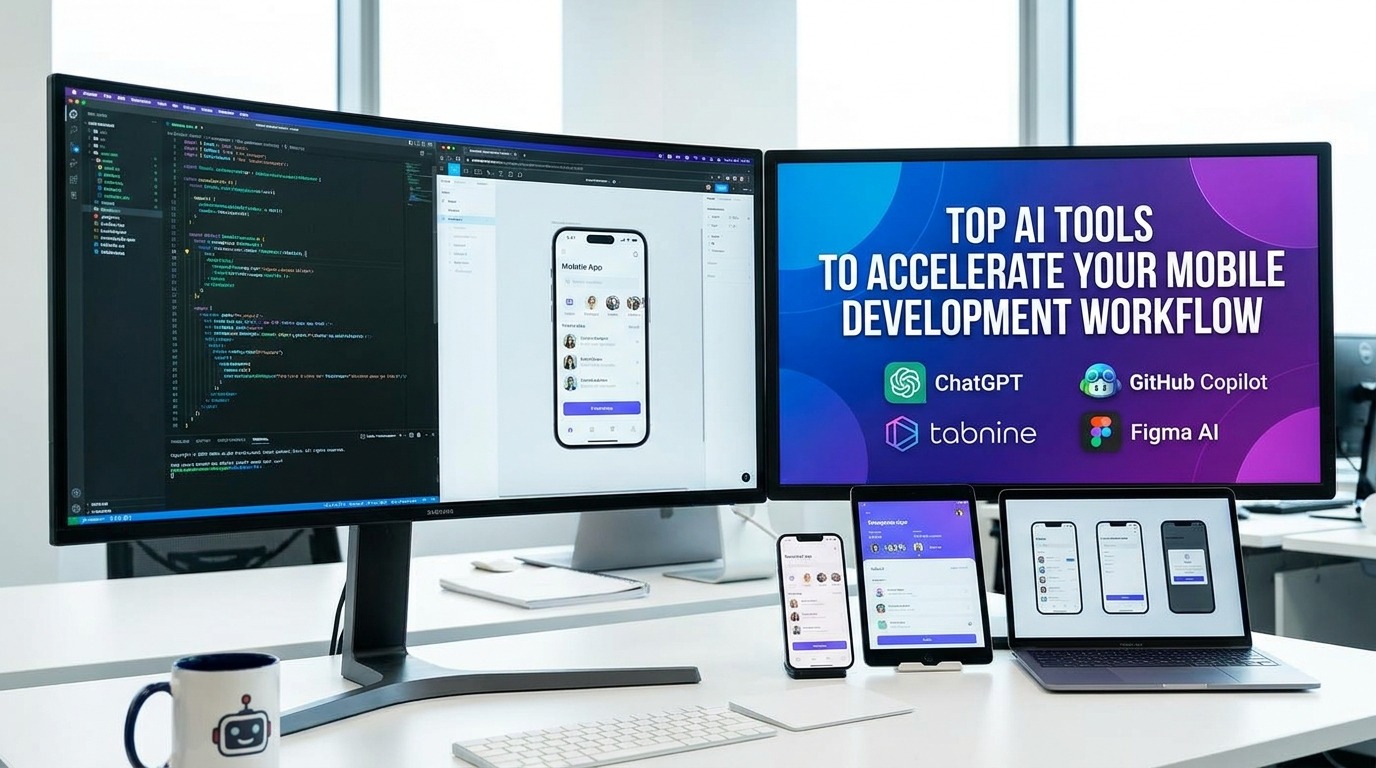
Why AI is Reshaping Mobile Development Workflows
The mobile development workflow has entered a new era. Industry data shows that 82% of developers recently adopted AI tools, while 76% of tech leaders plan to further expand AI use across their organizations. This shift represents a move far beyond simple code completion. Modern developers now use agentic, context-aware systems to manage entire project features, moving from basic syntax suggestions to verifiable architectural reasoning.
Efficiency gains drive this transition. By automating repetitive tasks like boilerplate generation and environment setup, teams report they can focus on high-value problem solving rather than manual refactoring. However, this progress brings a critical challenge: the trust paradox. While nearly all developers rely on these systems, only 29% fully trust machine-generated accuracy, making verification essential to a high-performing mobile development workflow.
- Automating test case generation and debugging to accelerate release cycles.
- Using context-aware engines to prevent architectural violations.
- Leveraging human-in-the-loop oversight to ensure code quality.
- Implementing structured AI-driven methodologies to maintain consistent standards.
The remainder of this guide outlines specific tools and strategies to integrate these advances into your own mobile development workflow. From choosing the right IDEs to securing your deployment pipeline, we focus on practical implementation for founders and engineers alike.
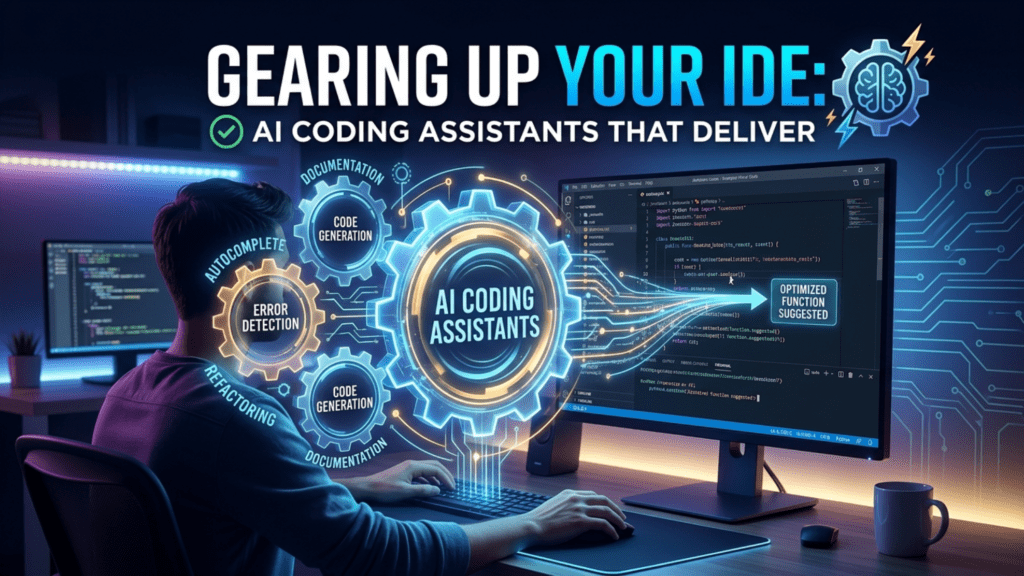
Integrating artificial intelligence into your mobile development workflow requires moving beyond simple autocomplete suggestions. Modern high-performers prioritize tools that understand the entire repository, enabling agents to plan, execute, and verify code changes across multiple files simultaneously instead of just offering line-by-line advice.
Which AI tools are best suited for modern application development?
For modern application development, selecting an AI tool depends heavily on your team’s need for either rapid prototyping or deep, architectural reasoning. Evaluate options based on your team’s existing ecosystem and the complexity of your codebase. To further optimize your mobile development workflow, these tools should be complemented by specialized utilities that automate code analysis and security assessments. Ultimately, the best strategy is choosing a tool that balances autonomous agentic capabilities with the ability to maintain verifiable software standards across your architecture.
The choice of assistant often hinges on your specific development environment. Developers working within Android Studio can explore assistants designed for that platform to troubleshoot errors and implement best practices, while Xcode offers specialized support for Swift and SwiftUI by running models locally on Apple Silicon. For those using VS Code, AI-native tools provide features like real-time web search and advanced composer workspaces that handle multi-file refactoring more reliably than standard plugins.
| Tool | Best Use Case | Key Integration |
|---|---|---|
| Cursor | Rapid iteration/refactoring | VS Code / AI-native |
| GitHub Copilot | General boilerplate/QA | Cross-IDE / Repo-aware |
| Xcode AI Assistant | Swift / Apple ecosystem | Xcode native support |
| JetBrains AI Assistant | Complex java/kotlin tasks | JetBrains suite |
Beyond Autocomplete: AI-Native IDEs and Agentic Workflows
Artificial intelligence acts as an intelligent collaborator throughout the mobile development workflow, streamlining processes from initial project planning to final maintenance. During the planning and analysis phases, AI tools help founders refine requirements and compare complex technology stacks to ensure architectural alignment. As development begins, AI agents assist in generating efficient component structures and high-quality code by leveraging patterns from successful design repositories. These tools continue to provide value by automating security reviews and suggesting optimizations, effectively reducing errors and accelerating launch timelines. By integrating AI, development teams can make more informed, data-driven decisions that significantly enhance both productivity and the final product’s performance.
Modernizing the mobile development workflow with AI-native environments
Tools like Cursor and Windsurf represent a fundamental move away from standard IDEs, treating artificial intelligence as a core architect rather than a supplemental plugin. Unlike conventional editors, these environments utilize advanced context engines to index entire repositories. This allows the AI to perform semantic dependency mapping, ensuring that multi-file changes do not break interconnected services. For a standard mobile development workflow, this means the editor understands how your local model handling affects your overall database query performance.
These agentic workflows allow developers to transition from manual code-writing to high-level oversight. By activating agent mode, your IDE acts as a planner that can execute and verify complex refactoring tasks across your entire codebase. For instance, instead of debugging each instance manually, an AI agent can scan your project to identify and suggest architectural improvements to prevent common issues like N+1 queries. AppstoryORG highlights that teams achieving the best results are those leveraging these agents to maintain rigorous architectural standards during rapid iteration.
Accelerating delivery with AI-DLC
Adopting an AI-Driven Development Lifecycle (AI-DLC) enables teams to shift from traditional weekly sprints to shorter, high-intensity cycles known as bolts. These concentrated bursts of development, often lasting only hours, rely on persistent project context to keep the AI aligned with current technical requirements. By utilizing these shorter, AI-supported delivery phases, engineering teams can maintain superior software stability while significantly reducing the time spent on manual boilerplate and technical debt resolution.
Automating Quality: AI-Powered Testing and Debugging
Quality assurance often acts as a bottleneck in the modern mobile development workflow, where the demand for rapid releases can outpace manual testing capabilities. By shifting to an AI-driven approach, development teams can transition from reactive debugging to proactive quality control, helping teams ship updates more reliably and fix issues faster. Integrating tools like Qodo allows developers to generate context-aware regression tests that respect existing assertion styles, while Testim and Applitools automate the creation of end-to-end test cases that simulate actual user interactions across diverse device environments.
How can AI tools be integrated into the mobile development workflow?
Integrating AI into a mobile development workflow requires a targeted approach: focus on automating one repetitive, time-consuming task at a time rather than overhauling the entire process. Start by leveraging AI-assisted coding tools directly within your IDE to analyze existing patterns and suggest real-time code completions. Beyond coding, use AI to automate your testing pipelines and build workflows, which allows your team to catch errors earlier and deploy releases with greater stability. To avoid the common pitfall of shiny object syndrome, only adopt tools that solve specific bottlenecks and ensure they are intuitive enough for every team member to use without extensive training. By setting up a feedback loop where AI tools analyze your project data, your mobile development workflow can scale efficiently while reducing manual overhead.
Beyond active testing, static code analysis tools provide a critical layer of automated oversight. These tools scan codebases for potential flaws and security vulnerabilities early in the development lifecycle, preventing defects from reaching production. By automating these routine checks, developers spend less time on tedious debugging and more time addressing complex architectural designs and high-value user features. This automation-first strategy is essential for sustaining a performant, stable application as it grows, ensuring that the team remains focused on innovation rather than maintenance.
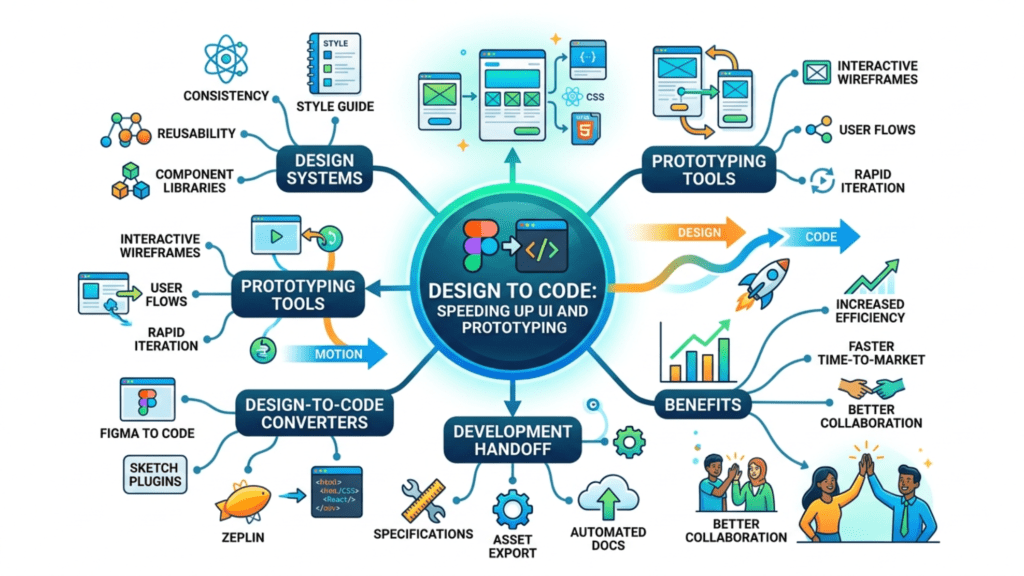
Design to Code: Speeding Up UI and Prototyping
The transition from concept to functional interface is a common bottleneck in the modern mobile development workflow. Designers and developers are increasingly utilizing design-to-code platforms to bridge this gap, allowing for the rapid transformation of mockups into functional UI components. Tools like Uizard enable teams to convert visual designs directly into code, while platforms like Framer provide AI features that adjust layouts for different screen sizes automatically.
For teams focused on rapid iteration or MVP creation, text-to-app generators such as Bolt, Lovable, and V0 allow for the generation of functional scaffolding immediately from descriptive prompts. These environments are particularly effective when building internal tools or prototypes where speed is prioritized over highly custom architectural patterns. For more complex, data-centric internal applications, platforms like Softr, Zapier Copilot, and Microsoft Power Apps offer robust no-code customization that allows non-technical stakeholders to modify UI schemas or database integrations using only natural language instructions.
Evaluating AI-driven design architecture
When integrating these tools into your mobile development workflow, identifying the right solution requires careful assessment. Platforms that work well should provide precise interpretation of prompts, reliable no-code customization capabilities, and streamlined paths for publishing completed work. While generative tools provide significant efficiency, teams should maintain a balance between automated scaffolding and the deep visual control required for brand-differentiated frontend experiences.
| Tool Category | Primary Use Case | Benefit to Workflow |
|---|---|---|
| Design-to-Code | UI Implementation | Reduces CSS and layout iteration cycles |
| Generative AI | Rapid Prototyping | Fast transition from text ideas to functional MVP |
| Low-Code Platform | Data-Centric Apps | Simplifies database and logic integration |
On-Device Intelligence: Running AI Locally on Mobile
Moving AI computation directly onto a device significantly improves the mobile development workflow by enabling real-time responsiveness and offline functionality. While cloud-based inference is powerful, on-device processing keeps data local, ensuring increased privacy and eliminating latency caused by network round-trips.
- TensorFlow Lite and LiteRT allow developers to deploy models on Android.
- Core ML allows developers to use Apple Silicon for localized inference.
- Google AICore(via the AICore Developer Preview link) lets teams prototype with on-device Gemini Nano models.
Efficiency remains the primary constraint when running models locally. Developers can use model quantization to shrink neural network sizes, potentially achieving a 75% reduction in footprint while maintaining 95% of original accuracy in many cases. For apps requiring advanced reasoning, Android now offers the AppFunctions API, allowing models to interact with app-specific tools as if they were built-in functions.
| Inference Path | Best Use Case | Key Trade-off |
|---|---|---|
| On-Device | Real-time UI, privacy | Harder to update |
| Cloud-Based | Large-scale reasoning | Latency and cost |
| Hybrid | Balanced performance | Complex architecture |
A hybrid architecture often serves as the most effective path for modern teams. By reviewing platform-specific benchmarks, you can determine when to offload heavy tasks to cloud APIs while keeping time-sensitive features running locally. This balance ensures your mobile development workflow remains both performant and resource-conscious as your reliance on localized intelligence grows.
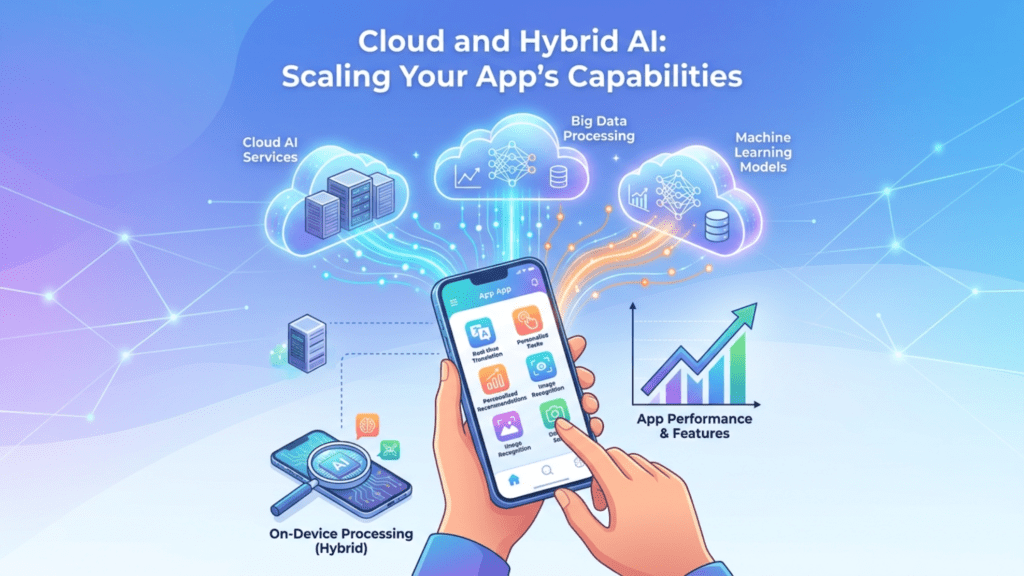
Cloud and Hybrid AI: Scaling Your App’s Capabilities
Integrating scalable intelligence into your mobile development workflow often requires a balanced architectural approach. By leveraging cloud-based services like Google Vertex AI, AWS SageMaker, or the OpenAI API, developers can access sophisticated capabilities like natural language processing, computer vision, and predictive analytics without the engineering burden of training custom models from scratch.
Many applications now adopt a hybrid architecture to optimize performance. On-device processing handles real-time tasks to minimize latency, while cloud inference tackles resource-heavy computational requirements. Tools like Firebase AI Logic help implement these hybrid solutions, while ML Kit delivers production-ready machine learning features for classification and text recognition that function reliably across diverse mobile environments.
Beyond the technical utility, this strategic integration provides a clear financial return. Teams can measure cost savings by tracking cloud usage versus on-device processing costs, allowing them to prioritize high-value product features rather than baseline infrastructure overhead.
| Deployment Type | Performance Focus | Common Use Case |
|---|---|---|
| On-Device | Low Latency | Offline facial detection |
| Cloud | Complex Reasoning | NLP and deep insights |
| Hybrid | Optimized Balance | Real-time personalization |
Security and Compliance in the AI-Enhanced Workflow
Integrating smart assistance into your mobile development workflow requires a vigilant approach to security. While tools like GitHub Copilot offer significant speed, they may expose proprietary code to external models. For enterprises with strict regulatory needs, consider solutions that provide air-gapped and on-premises deployments to keep code within your infrastructure. Similarly, look for tools that allow development teams to maintain control over sensitive data while automating regression testing and validation within their own environments.
Beyond code privacy, you should implement DevSecOps practices designed for the AI era. This includes integrating automated vulnerability scanning throughout your build pipeline. Use tools that track dependencies and identify vulnerabilities in machine-generated code automatically. For user-facing security, implement adaptive authentication mechanisms that analyze user behavior to prevent unauthorized access, ensuring that the AI components of your application do not become entry points for security breaches.
Are there legal considerations regarding intellectual property for AI-generated apps?
Incorporating AI into your mobile development workflow introduces significant intellectual property complexities. Current U.S. Copyright Office guidance confirms that works generated entirely by AI without meaningful human authorship are ineligible for copyright protection, meaning you could struggle to defend your code against unauthorized use. To mitigate this, you must treat AI as a collaborative assistant rather than a replacement, ensuring human developers provide substantial creative input through iterative prompting, manual refinement, and significant architectural oversight. Consider documenting these human contributions, such as maintaining logs of prompts and code edits, to demonstrate authorship in the event of an ownership dispute. When copyright isn’t an option, you should also implement strict internal security measures to protect your codebase as a trade secret.
- Audit training data sources to ensure compliance with privacy regulations.
- Use containerization to isolate AI-driven processes from core application logic.
- Implement human-in-the-loop reviews for all critical code checkpoints.
- Regularly monitor for model drift to prevent secondary security vulnerabilities.
Supercharging Productivity: AI for Project Management and Automation
Integrating artificial intelligence into your mobile development workflow extends far beyond writing code. Modern project management platforms like Asana, Trello, Jira, and ClickUp now use AI to analyze past project data, helping teams estimate completion dates more accurately and flag potential delays early. By automating these administrative tasks, developers can focus on high-impact architectural decisions rather than manual status tracking.
Efficiency in a mobile development workflow also depends on connecting disparate tools to reduce friction. Platforms like Zapier and n8n enable engineers to automate cross-platform connectivity, ensuring that updates in a bug tracker automatically trigger notifications or adjustments in documentation. These platforms keep your tools connected and working reliably as your project scales. Unlike static scripts, you can update these automated flows using plain English instructions, making them flexible as your needs change.
Maintaining accurate technical documentation remains a frequent point of frustration for fast-moving teams. Tools like Mintlify Writer automate documentation generation directly from source code, ensuring that technical records remain current without requiring manual intervention from engineers. Similarly, WhatTheDiff integrates directly into your version control process to summarize pull requests and suggest restructuring. By automating these overhead tasks, smaller engineering groups can maintain high-quality standards that once required a dedicated team to manage manually.
Localization and Performance: AI-Enhanced Global Reach
Expanding your reach to global markets frequently stalls due to the immense overhead of manual translation and resource management. Tools such as Lokalise, Transifex, Phrase, and Smartling use AI to provide context-aware translations for both your app UI and store presence. This transition transforms your mobile development workflow from a static, English-first model to one that accommodates diverse linguistic nuances with high accuracy and speed.
Efficiency remains paramount once your app enters new regions, as latency can quickly alienate international users. You can improve performance and resource management with tools like Akamas for caching or Kubernetes for scaling. These tools, like AppstoryORG, help prevent common infrastructure issues in global apps.
Data helps you optimize for global growth. By using platforms like Mixpanel or Amplitude, you can see how users behave in different regions and adjust features or layouts accordingly. These tools let you run A/B tests that match your development work to how users actually engage in each country.
The Human Element: Why Developers Remain Indispensable
The integration of smart assistants into the mobile development workflow has reached a critical inflection point. Despite the widespread adoption of AI coding tools, many developers remain cautious about the accuracy of generated code.
Will AI eventually replace mobile developers?
The most realistic future is not AI replacing human developers, but rather AI becoming an essential, integrated layer of the modern mobile development workflow. While AI excels at automating repetitive tasks and generating functional code, it lacks the human capacity for high-level architectural oversight, strategic product decision-making, and nuanced user experience design. The most successful professionals will be those who use these tools to boost their output. By offloading routine workloads to AI tools, developers gain more time to focus on solving complex business problems and perfecting the creative aspects of their apps. Ultimately, AI helps developers work faster, not replaces them.
Maintaining deep human oversight remains the primary defense against common AI pitfalls, including incorrect code and unintended security vulnerabilities. Because AI tools operate based on probability, they can occasionally bypass established security protocols or suggest outdated libraries. Human review ensures that the final codebase remains performant, secure, and aligned with organizational standards.
To stay competitive, developers must shift their focus from mechanical coding toward managing AI-driven systems. Mastery now involves writing clear instructions for AI, validating the logic of complex designs, and applying human judgment for unusual situations where AI falls short. As mobile development evolves, the most valued skill will be using AI tools to achieve important business goals.
Building Your AI-Powered Mobile Development Workflow
Integrating artificial intelligence across every phase of your mobile development workflow transforms how teams build and maintain software. By applying AI from initial planning through to post-deployment maintenance, you can focus on complex architectural design instead of rote boilerplate coding.
- Start small: identify your single largest development bottleneck and apply targeted automation there first.
- Maintain oversight: keep a ‘human-in-the-loop’ strategy, using AI for generation while reserving final validation for critical architectural decisions.
- Embrace hybrid intelligence: pair your creative problem-solving with tools like GitHub Copilot or Cursor to achieve higher output per sprint.
The most effective mobile development workflow relies on modern, agentic tools that understand your codebase context. Experiment with Android’s AI-powered assistants or explore on-device frameworks to optimize performance while accelerating your shipping schedule. Start experimenting today to see your team’s velocity climb as you fold these intelligent practices into your daily operations.


![10 Benefits of the Internet of Things You Should Know [2027]](https://www.appstory.org/wp-content/uploads/2025/03/ATS-10-Benefits-of-the-Internet-of-Things-You-Should-Know-2025@2x-300x142.png)